macOS Big Sur v11.6 for VMware {CracksHash}
movies, software, shows...
Files
| Download Latest Cracks and Apps from CracksHash.com.url | 102.4 B | ||
| Downloaded from CracksHash.com.txt | 409.6 B | ||
| Possible errors.txt | 4.6 KB | ||
| Readme-Instructions.txt | 2.2 KB | ||
| Unlocker alternative.zip | 32.6 MB | ||
| Unlocker main.zip | 37.6 MB | ||
| macOS Big Sur.vmdk | 18.1 GB | ||
| macOS Big Sur.vmx | 3.7 KB | ||
| securable.exe | 114.6 KB |
Description
Visit for more apps - CracksHash
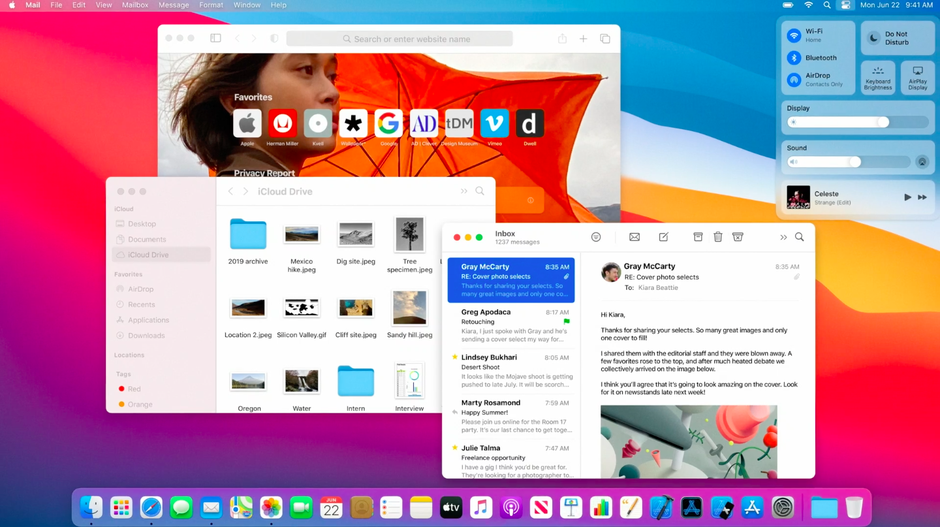
macOS Big Sur v11.6 for VMware {CracksHash}
A VMware virtual machine with macOS installed. Before starting work with the machine, be sure to apply VMware Unlocker as administrator . The required screen resolution should be set automatically in accordance with the settings of the computer on which the virtual machine is running. Choose the rest of the parameters (the number of CPU cores, memory, etc.) according to your hardware.
Before starting, we check the compatibility of the equipment with this program.
ADMINISTRATOR PASSWORD: 1234
To start the machine, the processor must support virtualization and DEP
If virtualization and DEP are disabled, enable them via BIOS
To reduce the brakes, it is recommended to run in VMware Player
Attention! Use VMware Workstation, not VMware Player for correct and complete machine setup
Attention! This image is designed to work with the current version of VMware Workstation
Attention! Applications for OS X that require 3D acceleration (OpenGL) cannot be run due to the lack of required drivers
The only video player that plays video on this build is Movist, the rest have only sound without images
The ⌘ (Command) key is the default key (Windows)
Switch keyboard layout configured for CTRL + Space
If errors occur, read the information
Installation method
1. Run "securable" and make sure the program shows 64, Yes, Yes
2. Install VMware Workstation or VMware Player 16.2 or later
3. Install VMware Unlocker. In the Unlocker folder, run the win-install.cmd file on behalf of the Administrator. It can also download missing components.
-- Attention! To run on AMD processors --
3.1. Open macOS Big Sur.vmx file with any notepad.
3.2. Add lines anywhere in the file:
cpuid.0.eax = "0000:0000:0000:0000:0000:0000:0000:1011"
cpuid.0.ebx = "0111:0101:0110:1110:0110:0101:0100:0111"
cpuid.0.ecx = "0110:1100:0110:0101:0111:0100:0110:1110"
cpuid.0.edx = "0100:1001:0110:0101:0110:1110:0110:1001"
cpuid.1.eax = "0000:0000:0000:0001:0000:0110:0111:0001"
cpuid.1.ebx = "0000:0010:0000:0001:0000:1000:0000:0000"
cpuid.1.ecx = "1000:0010:1001:1000:0010:0010:0000:0011"
cpuid.1.edx = "0000:0111:1000:1011:1111:1011:1111:1111"
4. In VMware, click Open a Virtual Machine and select macOS_BigSur.vmx
5. Configure the virtual machine for your hardware. The required screen resolution should be set automatically in accordance with the settings of the computer on which the virtual machine is running. Choose the rest of the parameters (the number of CPU cores, memory, etc.) according to your hardware.
6. Run -> ok -> I Copied it
7. You can install VMware Tools to access folders on your PC, shared clipboard and more

Quote:
CracksHash always
Related Torrents
| torrent name | size | uploader | age | seed | leech |
|---|---|---|---|---|---|
| 11.55 GB | Mikkim | 2 years | 0 | 0 | |
| 11.6 GB | crackshash | 5 years | 5 | 0 | |
| 17.3 GB | crackshash | 5 years | 9 | 7 | |
| 11.6 GB | crackshash | 5 years | 1 | 2 | |
| 11.4 GB | crackshash | 5 years | 9 | 0 |
All Comments