Scrapy - Powerful Web Scraping Crawling with Python
movies, software, shows...
Files
| 01. Avoid Getting Banned!.html | 2.8 KB | ||
| 01. Building Web Crawler with Scrapy.mp4 | 35.1 MB | ||
| 01. Building Web Crawler with Scrapy.srt | 14.4 KB | ||
| 01. Coupon for Web Scraping with Beautiful Soup, Requests & Selenium & Other Courses.html | 5.7 KB | ||
| 01. Craigslist Scraper - Overview.mp4 | 2.1 MB | ||
| 01. Craigslist Scraper - Overview.srt | 819.2 B | ||
| 01. Data Extraction with APIs (Free Tutorial).html | 614.4 B | ||
| 01. Do you want to scrape a specific website Let's do it together!.html | 1.1 KB | ||
| 01. Grabbing URLs.mp4 | 32.3 MB | ||
| 01. Grabbing URLs.srt | 12.3 KB | ||
| 01. Installing MySQL.html | 409.6 B | ||
| 01. LinkedIn Scraping Project Overview & Requirements (UPDATED).mp4 | 13.8 MB | ||
| 01. LinkedIn Scraping Project Overview & Requirements (UPDATED).srt | 2.9 KB | ||
| 01. Linux Scrapy Installation.mp4 | 23.4 MB | ||
| 01. Linux Scrapy Installation.srt | 3.4 KB | ||
| 01. Logging into Websites Using Scrapy.mp4 | 220 MB | ||
| 01. Logging into Websites Using Scrapy.srt | 20.3 KB | ||
| 01. Scraping Class-Central - Part 1 Subjects (UPDATED).mp4 | 150.5 MB | ||
| 01. Scraping Class-Central - Part 1 Subjects (UPDATED).srt | 18.3 KB | ||
| 01. Scraping Product Prices from API Request p.1 (NEW).mp4 | 98.1 MB | ||
| 01. Scraping Product Prices from API Request p.1 (NEW).srt | 11.4 KB | ||
| 01. ScrapingHub Deploying & Scheduling Scrapy Spiders (UPDATED).mp4 | 70.3 MB | ||
| 01. ScrapingHub Deploying & Scheduling Scrapy Spiders (UPDATED).srt | 12.8 KB | ||
| 01. Scrapy Advanced Spider - Part 1.mp4 | 14 MB | ||
| 01. Scrapy Advanced Spider - Part 1.srt | 6.4 KB | ||
| 01. Scrapy Arguments.mp4 | 8.8 MB | ||
| 01. Scrapy Arguments.srt | 3.6 KB | ||
| 01. Scrapy Basics.html | 102.4 B | ||
| 01. Scrapy Feed Exports to CSV, JSON, or XML.mp4 | 22 MB | ||
| 01. Scrapy Feed Exports to CSV, JSON, or XML.srt | 3.3 KB | ||
| 01. Scrapy Simple Spider - Part 1.mp4 | 21.6 MB | ||
| 01. Scrapy Simple Spider - Part 1.srt | 15.3 KB | ||
| 01. Scrapy User Agent.mp4 | 8.1 MB | ||
| 01. Scrapy User Agent.srt | 2.8 KB | ||
| 01. Scrapy as a Standalone Script (UPDATED).mp4 | 28.7 MB | ||
| 01. Scrapy as a Standalone Script (UPDATED).srt | 2.9 KB | ||
| 01. Scrapy vs. Beautiful Soup vs. Selenium.mp4 | 21.8 MB | ||
| 01. Scrapy vs. Beautiful Soup vs. Selenium.srt | 11.9 KB | ||
| 01. Splash Prerequisite Install Docker (NEW).html | 1.8 KB | ||
| 01. Using XPath with Scrapy.mp4 | 16.1 MB | ||
| 01. Using XPath with Scrapy.srt | 12.2 KB | ||
| 01. WhyWhen We Should Use Selenium.html | 1.7 KB | ||
| 01. Yield Data Items from 2 Functions.html | 1.9 KB | ||
| 01. ePlanning Scraping Project Overview.mp4 | 3.2 MB | ||
| 01. ePlanning Scraping Project Overview.srt | 1.1 KB | ||
| 01.1 15. class_central_spider part1 [NEW].zip | 8.3 KB | ||
| 01.1 3.1.quotes-spider-basic.zip | 6.5 KB | ||
| 01.1 4.quotes-spider-advanced.zip | 25.7 KB | ||
| 01.1 Advanced_spider_books_1.zip | 4.2 KB | ||
| 01.1 Getting price from the api request 1.zip | 8.6 KB | ||
| 01.1 Linux Scrapy Installation.html | 102.4 B | ||
| 01.1 ScrapyArguments.zip | 4.6 KB | ||
| 01.1 ScrapyFeedExports.zip | 123.7 KB | ||
| 01.1 Why to Use Selenium to Scrape LinkedIn.html | 102.4 B | ||
| 01.1 Xpath_introduction.zip | 307.2 B | ||
| 01.1 books_crawler.zip | 4.1 KB | ||
| 01.1 quotes_login_spider.zip | 4.5 KB | ||
| 01.1 quotes_spider_runspider_command.py | 716.8 B | ||
| 02. Course Tips (Must Read).html | 3.4 KB | ||
| 02. Creating Scrapy Craigslist Spider.mp4 | 10 MB | ||
| 02. Creating Scrapy Craigslist Spider.srt | 4.8 KB | ||
| 02. Data Extraction.mp4 | 79.6 MB | ||
| 02. Data Extraction.srt | 25.6 KB | ||
| 02. Do you have questions so far.html | 921.6 B | ||
| 02. Export Output to Excel.mp4 | 14.9 MB | ||
| 02. Export Output to Excel.srt | 6.4 KB | ||
| 02. How to Order Exported Data.html | 921.6 B | ||
| 02. LinkedIn Logging in (UPDATED).mp4 | 124 MB | ||
| 02. LinkedIn Logging in (UPDATED).srt | 16.1 KB | ||
| 02. Mac Scrapy Installation.mp4 | 36.8 MB | ||
| 02. Mac Scrapy Installation.srt | 1.9 KB | ||
| 02. MySQL Installation and Usage.mp4 | 15.9 MB | ||
| 02. MySQL Installation and Usage.srt | 9.5 KB | ||
| 02. Scraping Class-Central - Part 2 Courses (UPDATED).mp4 | 188.4 MB | ||
| 02. Scraping Class-Central - Part 2 Courses (UPDATED).srt | 19.6 KB | ||
| 02. Scraping Product Prices from API Request p.2 (NEW).mp4 | 136.4 MB | ||
| 02. Scraping Product Prices from API Request p.2 (NEW).srt | 15.7 KB | ||
| 02. Scraping Tables (UPDATED).mp4 | 247.4 MB | ||
| 02. Scraping Tables (UPDATED).srt | 24.4 KB | ||
| 02. Scrapy Advanced Spider - Part 2.mp4 | 24.9 MB | ||
| 02. Scrapy Advanced Spider - Part 2.srt | 11.8 KB | ||
| 02. Scrapy Close Function.mp4 | 8.4 MB | ||
| 02. Scrapy Close Function.srt | 3.3 KB | ||
| 02. Scrapy Simple Spider - Part 2.mp4 | 35.5 MB | ||
| 02. Scrapy Simple Spider - Part 2.srt | 23.4 KB | ||
| 02. Selenium WebDriver + Scrapy Selector to Extract URLs.mp4 | 51.3 MB | ||
| 02. Selenium WebDriver + Scrapy Selector to Extract URLs.srt | 19.6 KB | ||
| 02. Splash Installation (NEW).mp4 | 48.6 MB | ||
| 02. Splash Installation (NEW).srt | 6.3 KB | ||
| 02. Tools to Easily Get XPath.html | 2.4 KB | ||
| 02. ePlanning Extracting Initial URLs.mp4 | 19.2 MB | ||
| 02. ePlanning Extracting Initial URLs.srt | 7.1 KB | ||
| 02.1 16. class_central_spider part2 [NEW].zip | 8.8 KB | ||
| 02.1 Advanced-spider-books-2.zip | 4.6 KB | ||
| 02.1 Creating Scrapy Craigslist Spider.zip | 4.8 KB | ||
| 02.1 Getting price from the api request 2.zip | 8.7 KB | ||
| 02.1 Linkedin project Part 1 [NEW].py | 614.4 B | ||
| 02.1 Mac Scrapy Installation - Alternative Method.html | 102.4 B | ||
| 02.1 ScrapyCloseFunction.zip | 4.7 KB | ||
| 02.1 Scrapy_with_Selenium_1.zip | 4.2 KB | ||
| 02.1 Whare are the differences between XPath symbols.html | 102.4 B | ||
| 02.1 csv-to-xlsx.zip | 4.6 KB | ||
| 02.1 wiki_table [NEW].zip | 11.4 KB | ||
| 03. Craigslist Scrapy Spider #1 – Titles.mp4 | 30.8 MB | ||
| 03. Craigslist Scrapy Spider #1 – Titles.srt | 11.8 KB | ||
| 03. Downloading Images with Scrapy Pipelines.mp4 | 27.7 MB | ||
| 03. Downloading Images with Scrapy Pipelines.srt | 11.7 KB | ||
| 03. Finding LinkedIn Profiles Part 1 (UPDATED).mp4 | 116.8 MB | ||
| 03. Finding LinkedIn Profiles Part 1 (UPDATED).srt | 13.8 KB | ||
| 03. How to use Splash with Scrapy (NEW).mp4 | 107.1 MB | ||
| 03. How to use Splash with Scrapy (NEW).srt | 15.2 KB | ||
| 03. Scraping JSON Pages.mp4 | 57.6 MB | ||
| 03. Scraping JSON Pages.srt | 11.8 KB | ||
| 03. Scraping Product Prices from API Request p.3 (NEW).mp4 | 140.9 MB | ||
| 03. Scraping Product Prices from API Request p.3 (NEW).srt | 15.2 KB | ||
| 03. Scrapy Advanced Spider - Part 3.mp4 | 19.7 MB | ||
| 03. Scrapy Advanced Spider - Part 3.srt | 10.9 KB | ||
| 03. Scrapy Items.mp4 | 119.7 MB | ||
| 03. Scrapy Items.srt | 12.5 KB | ||
| 03. Scrapy Simple Spider - Part 3.mp4 | 22.1 MB | ||
| 03. Scrapy Simple Spider - Part 3.srt | 13.9 KB | ||
| 03. Selenium Loading Next for Data Extraction (usable even with JavaScript pages).mp4 | 38.8 MB | ||
| 03. Selenium Loading Next for Data Extraction (usable even with JavaScript pages).srt | 11.8 KB | ||
| 03. Windows Scrapy Installation.mp4 | 6.9 MB | ||
| 03. Windows Scrapy Installation.srt | 4.8 KB | ||
| 03. Writing Data to MySQL.mp4 | 50.1 MB | ||
| 03. Writing Data to MySQL.srt | 15.9 KB | ||
| 03. XPath Syntax.html | 102.4 B | ||
| 03. Xpath contains() and starts-with() functions.html | 4.3 KB | ||
| 03. ePlanning Crawling Internal Pages.mp4 | 11.9 MB | ||
| 03. ePlanning Crawling Internal Pages.srt | 5.3 KB | ||
| 03.1 3.3.quotes-spider-basic.zip | 6.7 KB | ||
| 03.1 Craigslist Scrapy Spider #1 – Titles.zip | 7.3 KB | ||
| 03.1 Getting price from the api request 3.zip | 8.9 KB | ||
| 03.1 Linkedin project Part 2 [NEW].py | 1 KB | ||
| 03.1 Scrapy Shell - ImportError - No module named win32api.html | 102.4 B | ||
| 03.1 Scrapy_with_Selenium_2.zip | 4.4 KB | ||
| 03.1 Writing_Data_to_MySQL.zip | 4.8 KB | ||
| 03.1 downloading-images-locally.zip | 4.4 KB | ||
| 03.1 scrapy_items_example.zip | 4.4 KB | ||
| 03.1 splash_introduction.zip | 14.6 KB | ||
| 03.1 trumptwitterarchive-spider.zip | 4.7 KB | ||
| 03.2 Windows Scrapy Installation.html | 102.4 B | ||
| 03.2 splash_settings_and_script_tag.py | 819.2 B | ||
| 04. Craigslist Scrapy Spider #2 – One Page.mp4 | 27.2 MB | ||
| 04. Craigslist Scrapy Spider #2 – One Page.srt | 10.6 KB | ||
| 04. Finding LinkedIn Profiles Part 2 (UPDATED).mp4 | 38.3 MB | ||
| 04. Finding LinkedIn Profiles Part 2 (UPDATED).srt | 4.6 KB | ||
| 04. Getting Data.html | 2.2 KB | ||
| 04. Installing MongoDB.html | 512 B | ||
| 04. Renaming Images with Scrapy Pipelines.mp4 | 132 MB | ||
| 04. Renaming Images with Scrapy Pipelines.srt | 12.4 KB | ||
| 04. Scrapy Advanced Spider - Part 4.mp4 | 25.3 MB | ||
| 04. Scrapy Advanced Spider - Part 4.srt | 8.3 KB | ||
| 04. Scrapy FormRequest (UPDATED).mp4 | 135.3 MB | ||
| 04. Scrapy FormRequest (UPDATED).srt | 16.8 KB | ||
| 04. Scrapy Installation Instructions.html | 1.7 KB | ||
| 04. Splash Advanced Project Scraping Baierl.com p.1 (NEW).mp4 | 71.4 MB | ||
| 04. Splash Advanced Project Scraping Baierl.com p.1 (NEW).srt | 11.2 KB | ||
| 04. ePlanning Scrapy Form Requests.mp4 | 52.8 MB | ||
| 04. ePlanning Scrapy Form Requests.srt | 18.7 KB | ||
| 04.1 Craigslist Scrapy Spider #2 – One Page.zip | 9.8 KB | ||
| 04.1 Linkedin project Part 3 [NEW].zip | 921.6 B | ||
| 04.1 Splash Advanced Project 1.zip | 8.8 KB | ||
| 04.1 rename_image_names_with_scrapy_pipelines.zip | 384.5 KB | ||
| 04.1 scrapy_formrequest [NEW].py | 614.4 B | ||
| 05. Craigslist Scrapy Spider #3 – Multiple Pages.mp4 | 25.4 MB | ||
| 05. Craigslist Scrapy Spider #3 – Multiple Pages.srt | 8.8 KB | ||
| 05. MongoDB Installation and Usage.mp4 | 13.9 MB | ||
| 05. MongoDB Installation and Usage.srt | 8.1 KB | ||
| 05. Python Editor Sublime Text.html | 4.4 KB | ||
| 05. Scraping Data Points from LinkedIn Profiles Part 1 (UPDATED).mp4 | 114.1 MB | ||
| 05. Scraping Data Points from LinkedIn Profiles Part 1 (UPDATED).srt | 13.8 KB | ||
| 05. Scrapy Architecture.mp4 | 29.5 MB | ||
| 05. Scrapy Architecture.srt | 13.7 KB | ||
| 05. Splash Advanced Project Scraping Baierl.com p.2 (NEW).mp4 | 93.8 MB | ||
| 05. Splash Advanced Project Scraping Baierl.com p.2 (NEW).srt | 11.9 KB | ||
| 05. Using Multiple Proxies with Crawlera (Optional).mp4 | 141 MB | ||
| 05. Using Multiple Proxies with Crawlera (Optional).srt | 11.6 KB | ||
| 05. ePlanning Scraping Data.mp4 | 42.3 MB | ||
| 05. ePlanning Scraping Data.srt | 12.2 KB | ||
| 05.1 Craigslist Scrapy Spider #3 – Multiple Pages.zip | 12.6 KB | ||
| 05.1 Linkedin project Part 4 [NEW].zip | 1 KB | ||
| 05.1 Splash Advanced Project 2.zip | 10.1 KB | ||
| 05.1 quotes-spider-architecture.zip | 7 KB | ||
| 06. Craigslist Scrapy Spider #4 – Job Descriptions.mp4 | 52 MB | ||
| 06. Craigslist Scrapy Spider #4 – Job Descriptions.srt | 17 KB | ||
| 06. Scraping Data Points from LinkedIn Profiles Part 2 (UPDATED).mp4 | 55.6 MB | ||
| 06. Scraping Data Points from LinkedIn Profiles Part 2 (UPDATED).srt | 7.5 KB | ||
| 06. Splash Advanced Project Scraping Baierl.com p.3 (NEW).mp4 | 211.8 MB | ||
| 06. Splash Advanced Project Scraping Baierl.com p.3 (NEW).srt | 24.5 KB | ||
| 06. Writing Data to MongoDB.mp4 | 22.1 MB | ||
| 06. Writing Data to MongoDB.srt | 8.8 KB | ||
| 06. ePlanning Checking Data Existence.mp4 | 22.5 MB | ||
| 06. ePlanning Checking Data Existence.srt | 7 KB | ||
| 06.1 Craigslist Scrapy Spider #4 – Job Descriptions.zip | 101.6 KB | ||
| 06.1 Linkedin project Part 5 [NEW].zip | 1.2 KB | ||
| 06.1 Splash Advanced Project 3.zip | 12 KB | ||
| 06.1 Writing data to MongoDB.zip | 4.7 KB | ||
| 07. Connecting to LinkedIn Profiles (UPDATED).mp4 | 86.5 MB | ||
| 07. Connecting to LinkedIn Profiles (UPDATED).srt | 11.1 KB | ||
| 07. Editing Scrapy settings.py (e.g. throttling, user agent, etc.).mp4 | 10.8 MB | ||
| 07. Editing Scrapy settings.py (e.g. throttling, user agent, etc.).srt | 4.4 KB | ||
| 07. ePlanning Scraping Data from Table.mp4 | 58.4 MB | ||
| 07. ePlanning Scraping Data from Table.srt | 17.4 KB | ||
| 07.1 Linkedin project Part 6 [NEW].zip | 1.2 KB | ||
| 07.1 eplanning-spider.zip | 4.7 KB | ||
| 08. Final Scrapy Tutorial, Craigslist Spider Code.html | 2.3 KB | ||
| ▲ 208 total files | |||
Description
Udemy – Scrapy – Powerful Web Scraping-Crawling with Python
English | Tutorial | Size: 3.95 GB
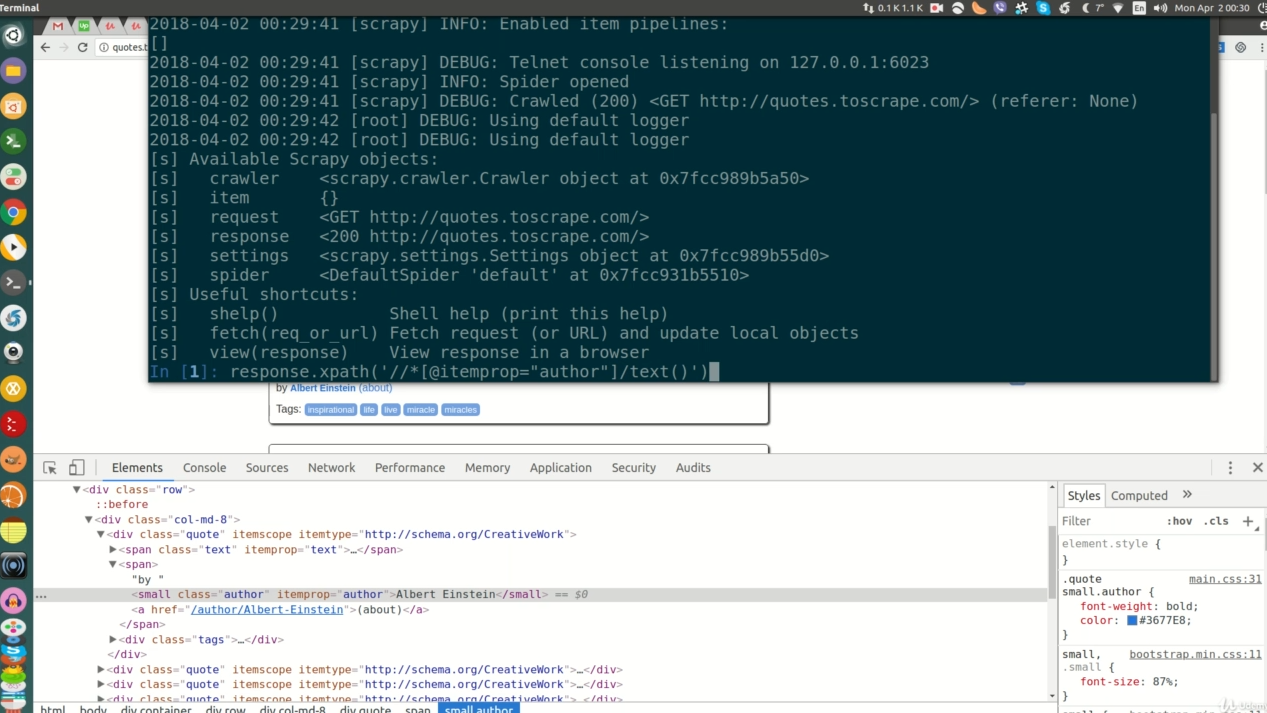

Python Scrapy Tutorial – Learn how to scrape websites and build a powerful web crawler using Scrapy, Splash and Python
What you’ll learn:
Creating a web crawler in Scrapy
Crawling a single or multiple pages and scrape data
Deploying & Scheduling Spiders to ScrapingHub
Logging into Websites with Scrapy
Running Scrapy as a Standalone Script
Integrating Splash with Scrapy to scrape javascript rendered websites
Using Scrapy with Selenium in Special Cases, e.g. to Scrape javascript Driven Web Pages
Building Scrapy Advanced Spider
More functions that Scrapy offers after Spider is Done with Scraping
Editing and Using Scrapy Parameters
Exporting data extracted by Scrapy into CSV, Excel, XML, or JSON files
Storing data extracted by Scrapy into MySQL and MongoDB databases
Several real-life web scraping projects, including Craigslist, LinkedIn and many others
Python source code for all exercises in this Scrapy tutorial can be downloaded
Q&A board to send your questions and get them answered quickly
Why this course?
Join the most popular course on Web Scraping with Scrapy, Selenium and Splash.
Learn from the a professional instructor, Lazar Telebak, full-time Web Scraping Consultant.
Apply real-world examples and practical projects of Web Scraping popular websites.
Get the most up-to-date course and the only course with 10+ hours of playable content.
Empower your knowledge with an active Q&A board to answer all your questions.
Scrapy is a free and open source web crawling framework, written in Python. Scrapy is useful for web scraping and extracting structured data which can be used for a wide range of useful applications, like data mining, information processing or historical archival. This Python Scrapy tutorial covers the fundamentals of Scrapy.
Web scraping is a technique for gathering data or information on web pages. You could revisit your favorite web site every time it updates for new information, or you could write a web scraper to have it do it for you!
Web crawling is usually the very first step of data research. Whether you are looking to obtain data from a website, track changes on the internet, or use a website API, web crawlers are a great way to get the data you need.
A web crawler, also known as web spider, is an application able to scan the World Wide Web and extract information in an automatic manner. While they have many components, web crawlers fundamentally use a simple process: download the raw data, process and extract it, and, if desired, store the data in a file or database. There are many ways to do this, and many languages you can build your web crawler or spider in.
Before Scrapy, developers have relied upon various software packages for this job using Python such as urllib2 and BeautifulSoup which are widely used. Scrapy is a new Python package that aims at easy, fast, and automated web crawling, which recently gained much popularity.
Scrapy is now widely requested by many employers, for both freelancing and in-house jobs, and that was one important reason for creating this Python Scrapy course, and that was one important reason for creating this Python Scrapy tutorial to help you enhance your skills and earn more income.
In this Scrapy tutorial, you will learn how to install Scrapy. You will also build a basic and advanced spider, and finally learn more about Scrapy architecture. Then you are going to learn about deploying spiders, logging into the websites with Scrapy. We will build a generic web crawler with Scrapy, and we will also integrate Splash and Selenium to work with Scrapy to iterate our pages. We will build an advanced spider with option to iterate our pages with Scrapy, and we will close it out using Close function with Scrapy, and then discuss Scrapy arguments. Finally, in this course, you will learn how to save the output to databases, MySQL and MongoDB. There is a dedicated section for diverse web scraping solved exercises… and updating.
One of the main advantages of Scrapy is that it is built on top of Twisted, an asynchronous networking framework. “Asynchronous” means that you do not have to wait for a request to finish before making another one; you can even achieve that with a high level of performance. Being implemented using a non-blocking (aka asynchronous) code for concurrency, Scrapy is really efficient.
It is worth noting that Scrapy tries not only to solve the content extraction (called scraping), but also the navigation to the relevant pages for the extraction (called crawling). To achieve that, a core concept in the framework is the Spider — in practice, a Python object with a few special features, for which you write the code and the framework is responsible for triggering it.
Scrapy provides many of the functions required for downloading websites and other content on the internet, making the development process quicker and less programming-intensive. This Python Scrapy tutorial will teach you how to use Scrapy to build web crawlers and web spiders.
Scrapy is the most popular tool for web scraping and crawling written in Python. It is simple and powerful, with lots of features and possible extensions.
Python Scrapy Tutorial Topics:
This Scrapy course starts by covering the fundamentals of using Scrapy, and then concentrates on Scrapy advanced features of creating and automating web crawlers. The main topics of this Python Scrapy tutorial are as follows:
What Scrapy is, the differences between Scrapy and other Python-based web scraping libraries such as BeautifulSoup, LXML, Requests, and Selenium, and when it is better to use Scrapy.
This tutorial starts by how to create a Scrapy project and and then build a basic Spider to scrape data from a website.
Exploring XPath commands and how to use it with Scrapy to extract data.
Building a more advanced Scrapy spider to iterate multiple pages of a website and scrape data from each page.
Scrapy Architecture: the overall layout of a Scrapy project; what each field represents and how you can use them in your spider code.
Web Scraping best practices to avoid getting banned by the websites you are scraping.
In this Scrapy tutorial, you will also learn how to deploy a Scrapy web crawler to the Scrapy Cloud platform easily. Scrapy Cloud is a platform from Scrapinghub to run, automate, and manage your web crawlers in the cloud, without the need to set up your own servers.
This Scrapy tutorial also covers how to use Scrapy for web scraping authenticated (logged in) user sessions, i.e. on websites that require a username and password before displaying data.
This course concentrates mainly on how to create an advanced web crawler with Scrapy. We will cover using Scrapy CrawlSpider which is the most commonly used spider for crawling regular websites, as it provides a convenient mechanism for following links by defining a set of rules. We will also use Link Extractor object which defines how links will be extracted from each crawled page; it allows us to grab all the links on a page, no matter how many of them there are.
Furthermore there is a complete section in this Scrapy tutorial to show you how to combine Splash or Selenium with Scrapy to create web crawlers of dynamic web pages. When you cannot fetch data directly from the source, but you need to load the page, fill in a form, click somewhere, scroll down and so on, namely if you are trying to scrape data from a website that has a lot of AJAX calls and JavaScript execution to render webpages, it is good to use Splash or Selenium along with Scrapy.
We will also discuss more functions that Scrapy offers after the spider is done with web scraping, and how to edit and use Scrapy parameters.
As the main purpose of web scraping is to extract data, you will learn how to write the output to CSV, JSON, and XML files.
Finally, you will learn how to store the data extracted by Scrapy into MySQL and MongoDB databases.
Who this course is for:
This Scrapy tutorial is meant for those who are familiar with Python and want to learn how to create an efficient web crawler and scraper to navigate through websites and scrape content from pages that contain useful information.
NEW Update: This Scrapy course now includes a dedicated section about Splash and how to use it with Scrapy to extract data from JavaScript websites.
Related Torrents
| torrent name | size | uploader | age | seed | leech |
|---|---|---|---|---|---|
| 1.4 GB | fcs0310 | 8 years | 2 | 1 | |
| 1.2 GB | CourseClub | 8 years | 0 | 0 |
All Comments