ElementaryOS 5.1 (stable) Version 20200204 French - Linux
movies, software, shows...
Files
| elementaryos-5.1-stable.20200204.iso | 1.39 GB |
Description
?elementary OS 5.1 Hera
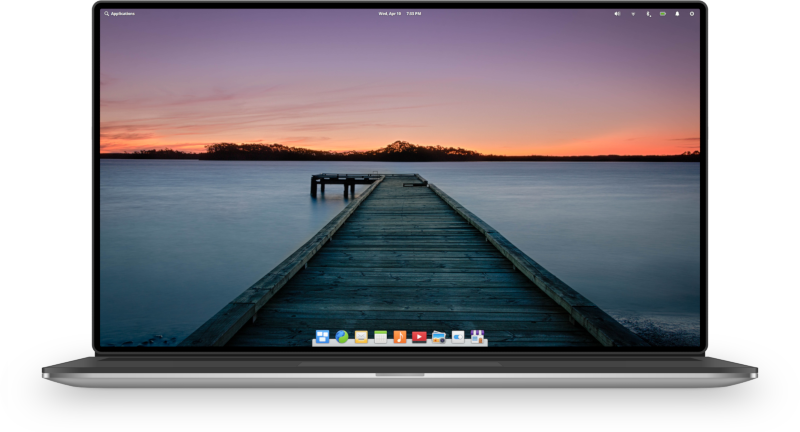
Hera builds on the solid foundation of Juno while bringing:
- A brand new first-run experience with Greeter and Onboarding
- Flatpak support with Sideload and AppCenter
- Major updates around accessibility and System Settings
- Iterative improvements across nearly all apps
- The latest hardware support with a new Linux kernel and hardware enablement stack
If you’re just interested in downloading it, head on over to elementary.io to get yourself a copy or open AppCenter on Juno and hit “Update All”. If you want to read about the changes, carry on.
What’s in a Name and Number?
We detailed our shift in the numbering scheme from the 0.x of old to
Juno being elementary OS 5 when we announced it back in October. In the
same vein, Hera builds on the new numbering scheme.
Hera is the culmination of our work over the past year packaged up into one cohesive update.
elementary OS 5.1 Hera takes the same foundation as Juno—utilizing
the same underlying repositories and libraries—but builds on it with a
refined experience. It is the culmination of our work over the past year
packaged up into one cohesive update. As such, the 5.1 number
represents that it’s a major update, but not an entirely new version
(which usually come around every two years). It’s still significant
enough, however, to deserve its own name and identity.
We always name our releases after mythological beings and deities,
and Hera is no different. The Greek equivalent of Juno, Hera is
considered the queen of the Greek gods and represents women, marriage,
family, and childbirth.
Updates from the Juno Release
Since Hera builds on Juno, it includes all of the monthly OS updates
we’ve detailed since Juno’s release. You can check those monthly
stories for the nitty-gritty—and if you’ve diligently followed along,
much of this will be a review—but here’s a higher-level overview of what
Hera brings:
Greeter & Onboarding
This is the duo of major new features for Hera, and greatly improves the first-run experience for users.
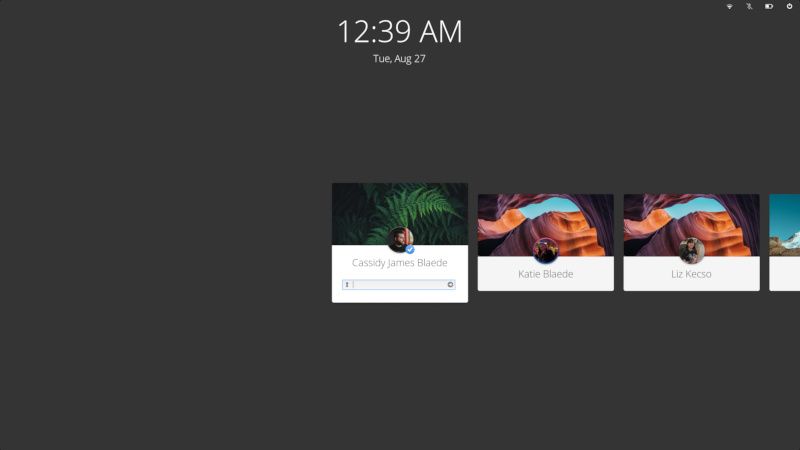
A screenshot of the new Greeter
The newly redesigned login and lockscreen greeter looks sharper,
works better, and fixes many reported issues with the previous greeter
including focus issues, HiDPI issues, and better localization.
The new design in Hera was in response to user feedback from Juno,
and enables some nice new features. It now always shows usernames for
all users, shows users’ backgrounds as cards so you can more easily find
users who maybe haven’t set differentiating avatars, notifies when Caps
or Num Lock are on, and makes “Log In as Guest” more distinct when it’s
enabled.
Say Hello to the New Greeter
Our redesigned login and lock screen

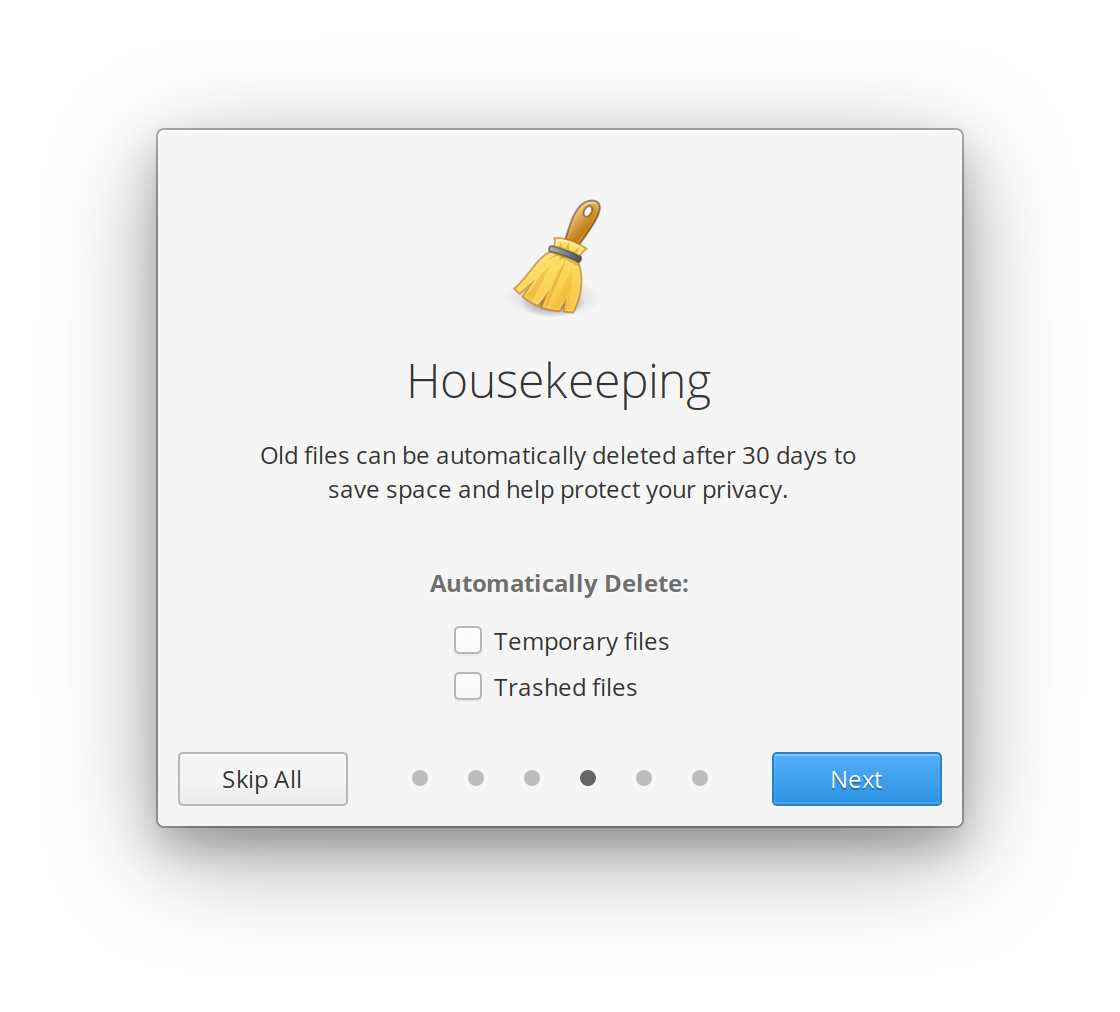
The new Onboarding app that ships with Hera introduces key features to users and handles common first-run tasks like managing privacy settings.
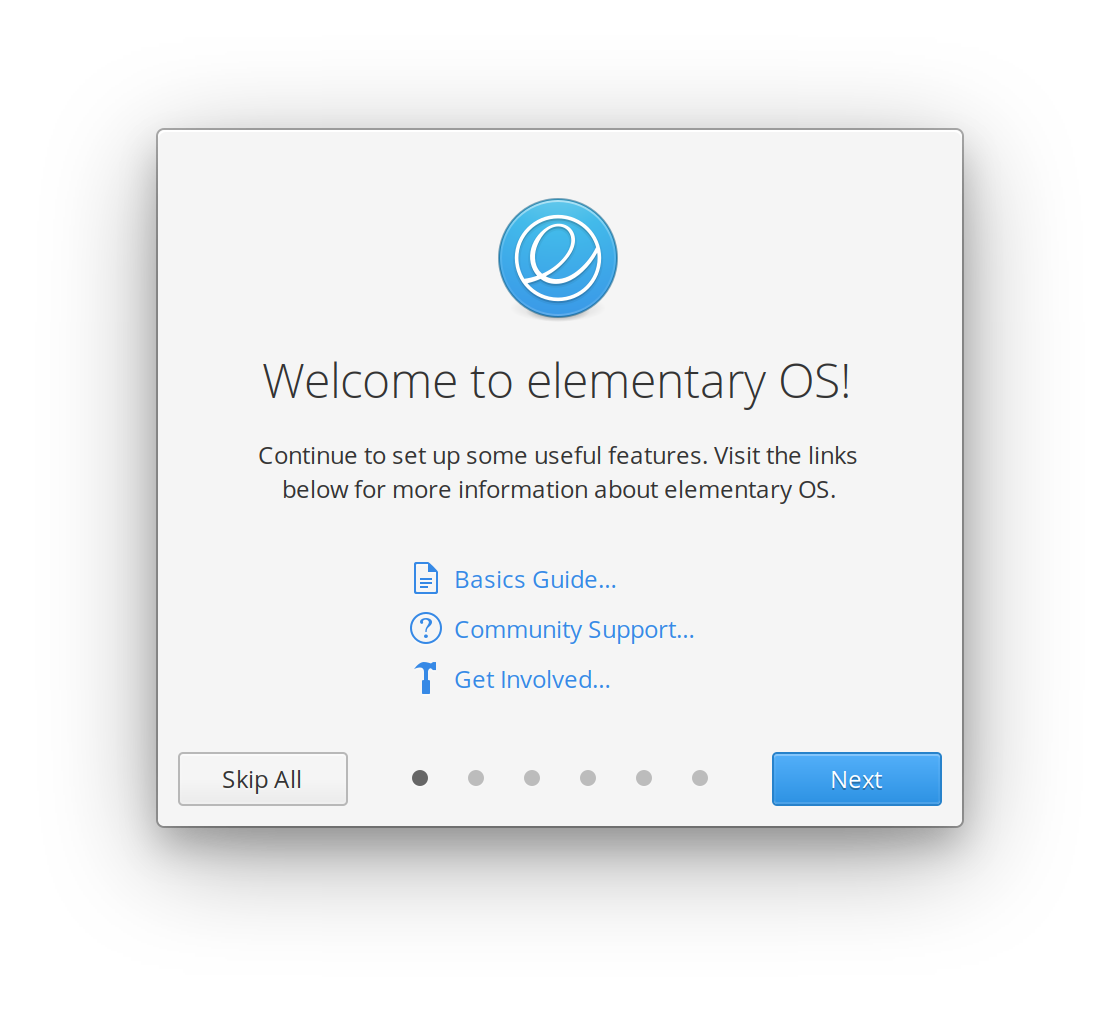

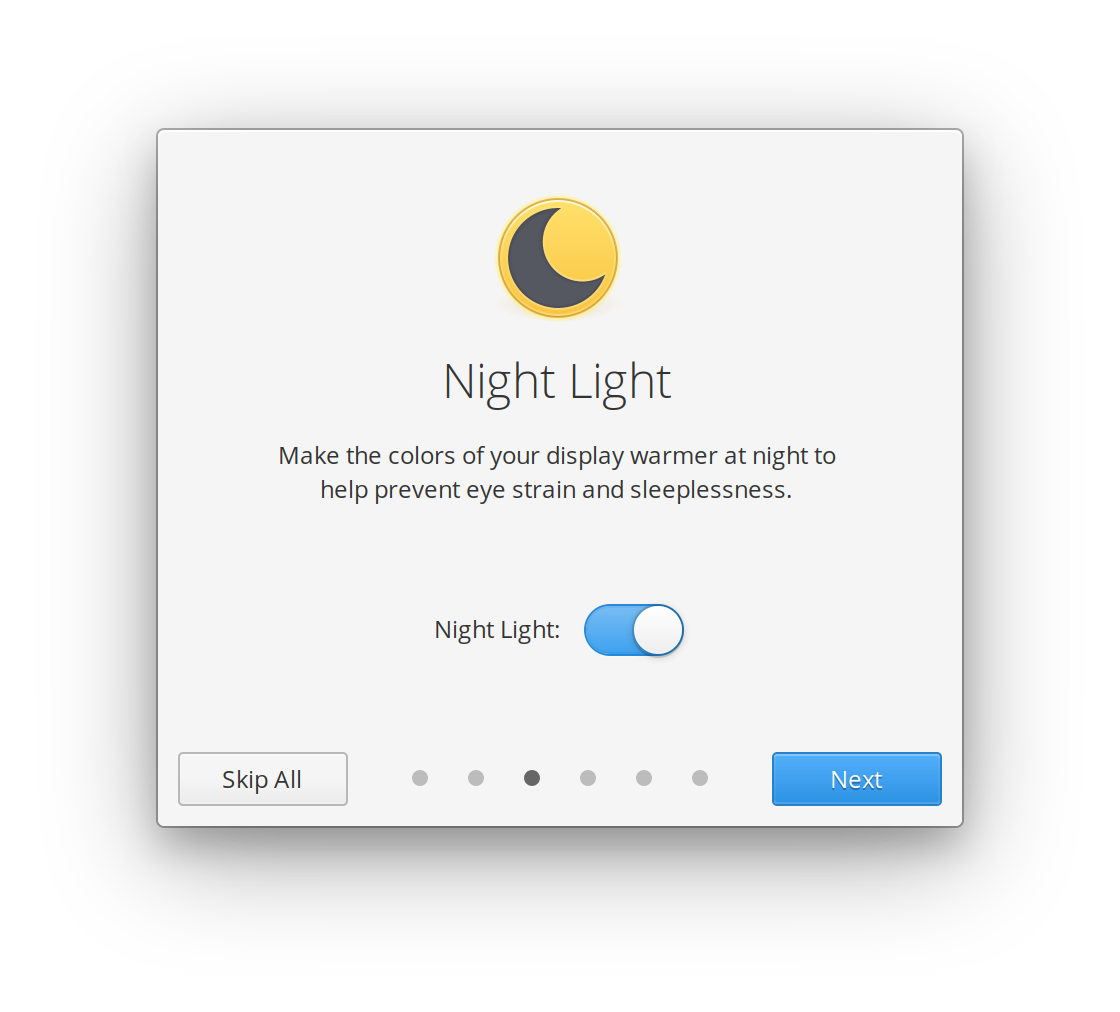


Since it’s a modular component—and not all baked into one piece of
software along with an installer and new user creation—the Onboarding
experience works great for newly-created users on existing installs, as
well. When a major new feature lands in elementary OS, Onboarding can
also be used to introduce it to existing users. You can read more about
Onboarding and its design and development process in our story from July.
Get Settled into elementary OS with Onboarding
Designed to improve the first-run experience

Together, these two components greatly improve the first impressions
of elementary OS from first run or getting a new computer all the way
through using your account for the first time. With a fresh codebase
across both, we’ll also be able to more quickly iterate on features and
fixes.
Flatpak
Flatpak is an open source technology that enables developers to ship
apps to different desktops in a way that is more secure and
privacy-respecting for users. Over the past year, Flatpak has really
matured as a technology which has lead us to commit to a Flatpak future for our AppCenter ecosystem.
Beyond that—and more immediately relevant—we’ve been hard at work to
design a new sideloading experience for users to more safely get apps if
they venture outside of AppCenter.
Sideload
While we always recommend installing curated AppCenter apps where
we’ve done extensive automated and human reviews, we understand that
some apps will not meet the strict requirements for AppCenter—and will
thus be distributed elsewhere. Rather than encouraging users to drop to a
Terminal, add inherently insecure PPAs, or install packages that end up
getting root access to the system, we’ve created a new core elementary
OS utility called Sideload to make it extremely easy to sideload Flatpak
apps.
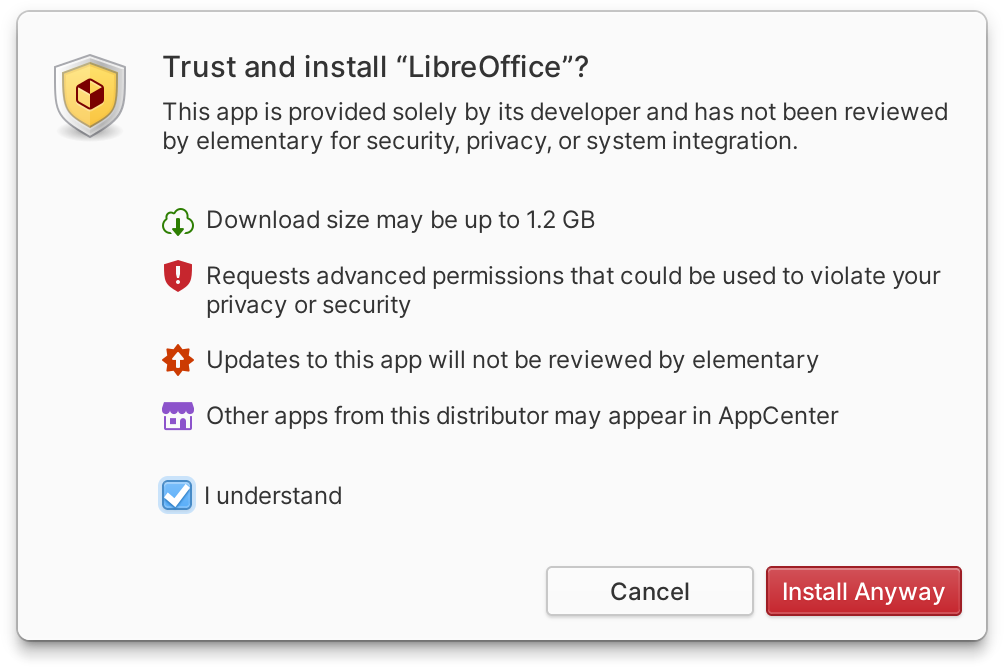
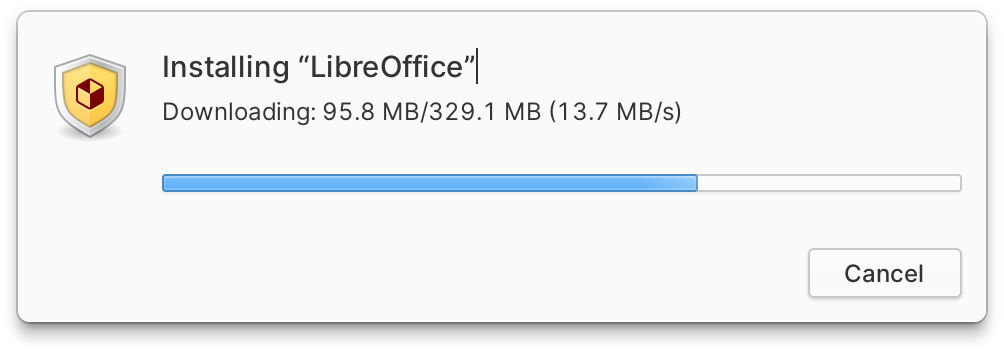
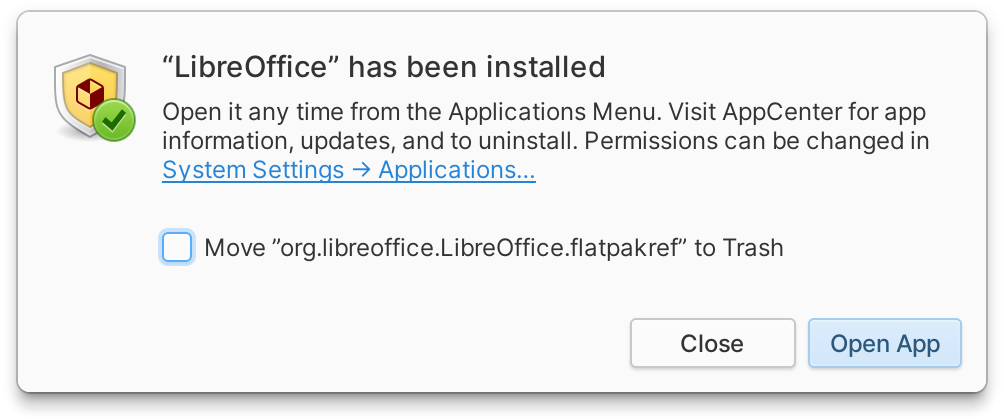
The new Sideload app
Sideload explains the implications of installing an app including
potential download size and if it will add a remote that might contain
other apps.
AppCenter
We’ve focused heavily on AppCenter for Hera—after all, it’s the center of our platform.
The headlining feature is Flatpak support: updates to sideloaded apps
will appear in AppCenter alongside all other updates, and apps from any
user-added Flatpak remotes will show up in AppCenter as uncurated apps.
But we’ve also improved just about everything else.
First, AppCenter is up to 10× faster in Hera, loading the homepage
and featured apps blazingly fast. We’ve also improved performance
throughout the app and do more tasks in parallel, leading to lower
memory usage and an all-around faster experience.
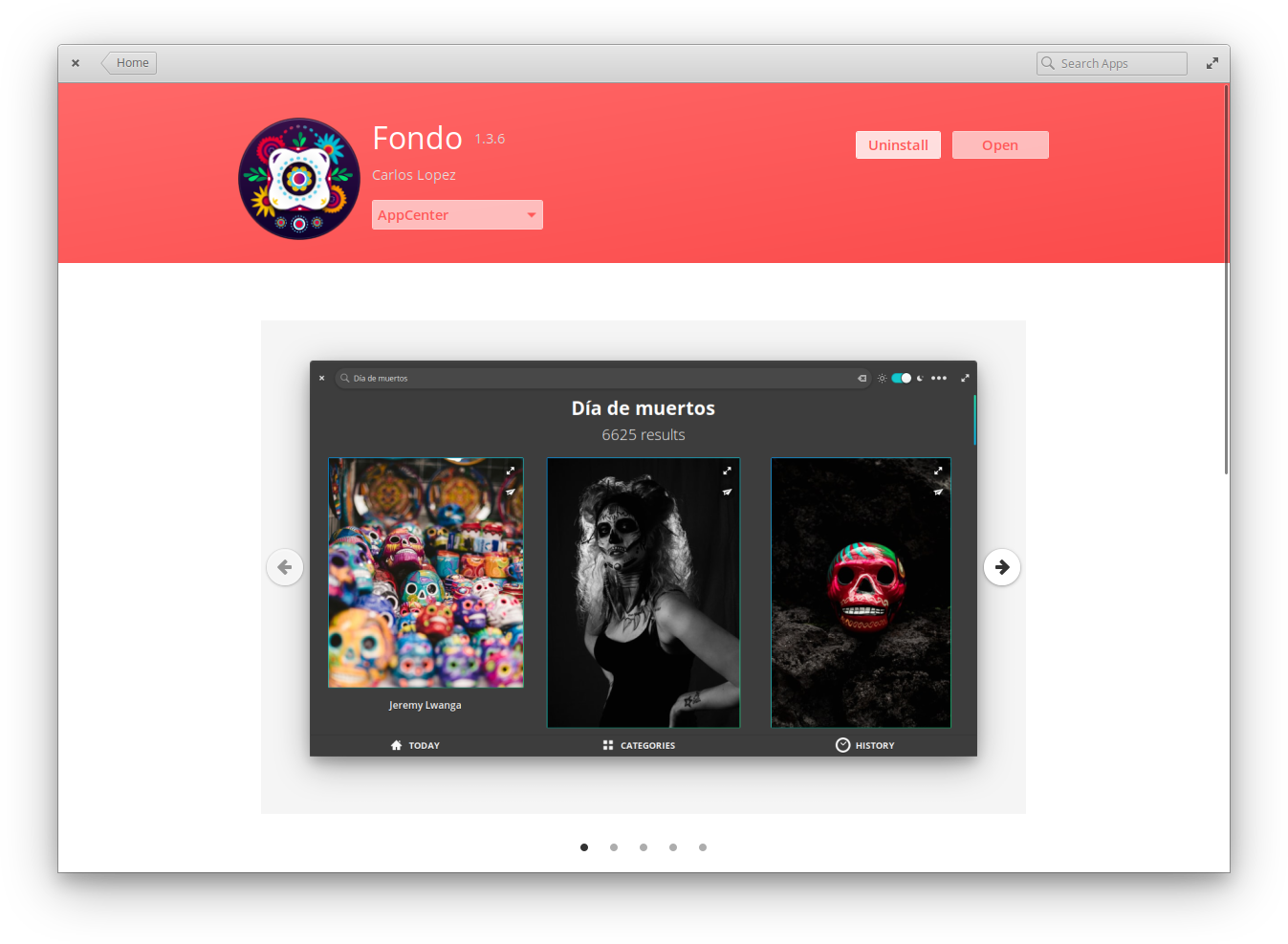
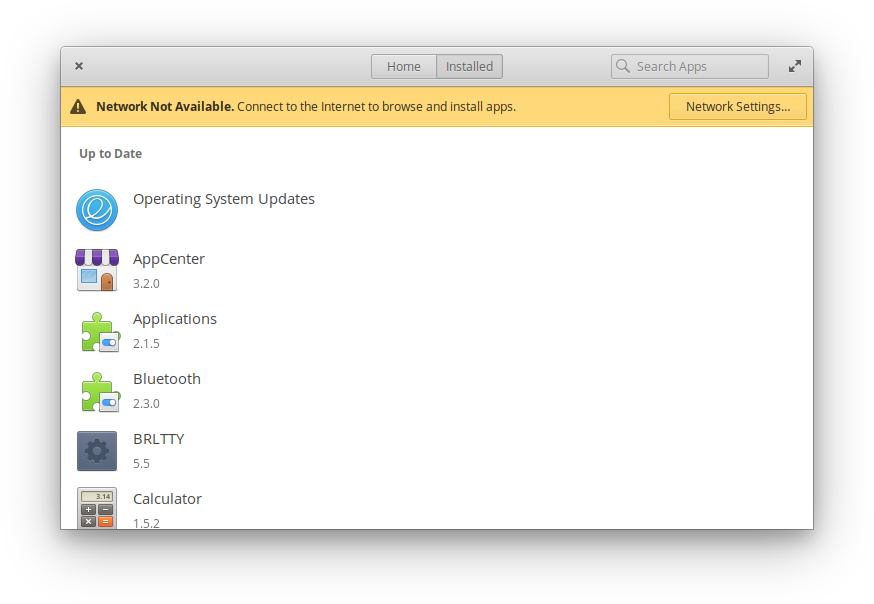
Left: App listing with new screenshot navigation | Right: Browse cached apps and uninstall while offline
On app listings, we’ve added a loading animation to screenshots, plus
added new forward/back navigation buttons on hover in case the little
dots were too hard to hit. App listings now support choosing between
different app sources if the same app is provided by multiple remotes.
AppCenter in Hera also works much better when your device is offline;
you can continue to browse cached apps and uninstall existing apps
without a network connection.
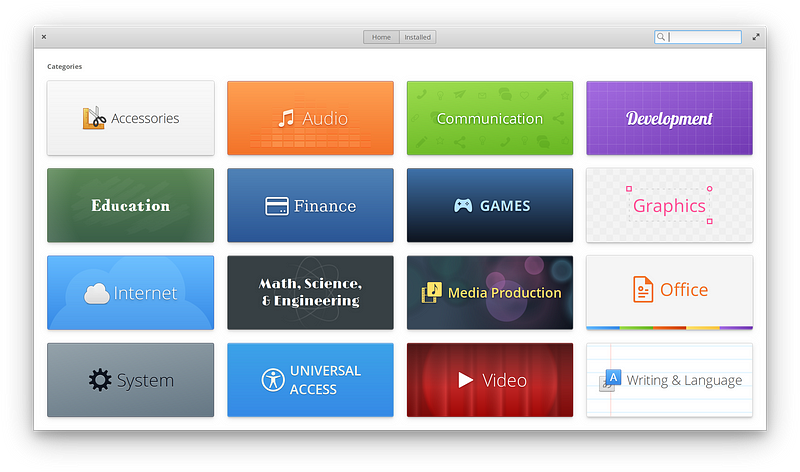
New & Improved AppCenter categories
To make more apps more discoverable in AppCenter, we’ve improved and
added several new categories in Hera. We’ve also fixed reported issues
including ones related to email validation, visibility of available
apps, and button styles. And since Hera is built from the same
foundation as Juno, all AppCenter apps released so far for Juno will automatically be available in Hera.
Accessibility and System Settings
In February, we shared our philosophy on accessibility features
and how they should be exposed as fully-supported features to all
users. In elementary OS 5.1 Hera, we’re now shipping several
improvements in System Settings that expose more accessible settings for
all users. Performance and keyboard shortcut discoverability has also
been improved. We’ve also improved several other areas in System
Settings based on reported issues.
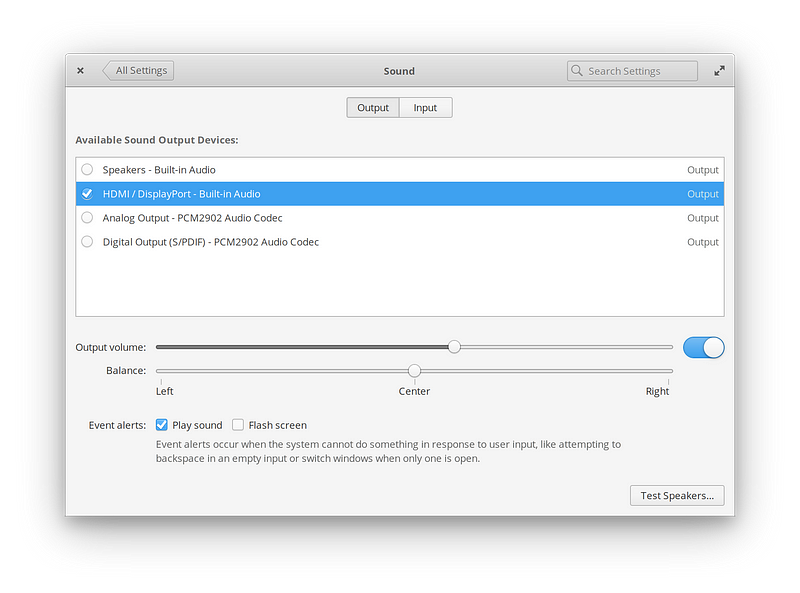
Improved Sound settings
Sound settings have been improved with a new approach to handling
external devices. The result is a simpler way of picking your output
device and the more reliable display of available devices. We’ve also
added the “Flash screen” option for event alerts here to better manage
whether alerts are audible, visual, both, or neither. This is
particularly handy for the hearing impaired or to use in environments
where an audible alert would be inappropriate, like live production.
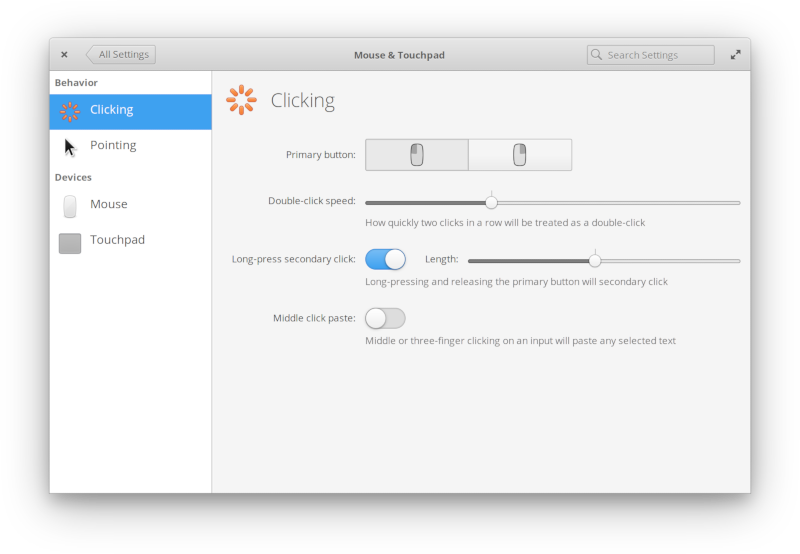
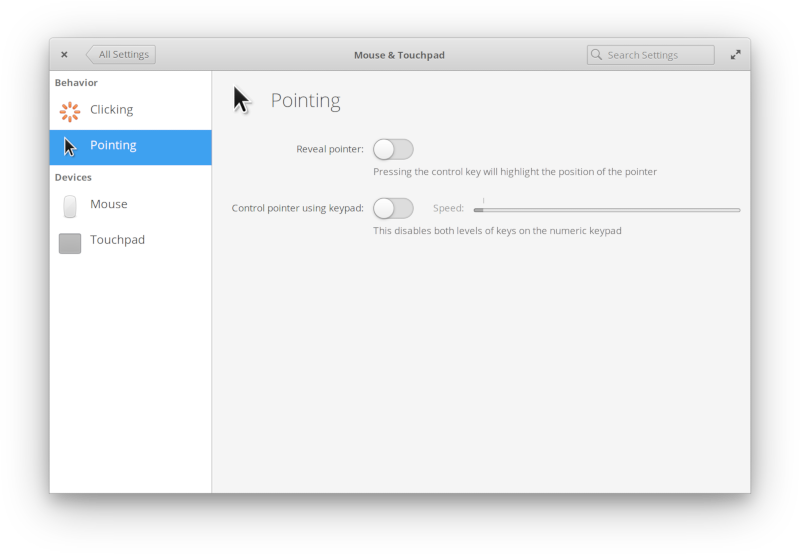
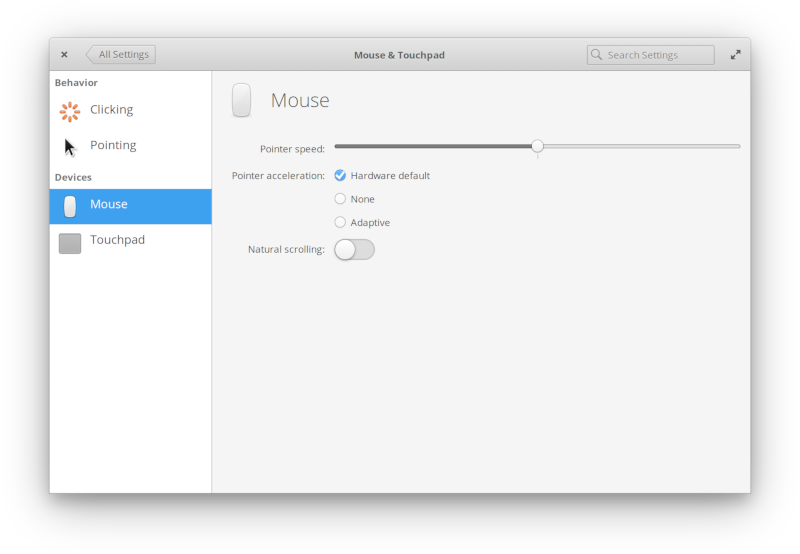
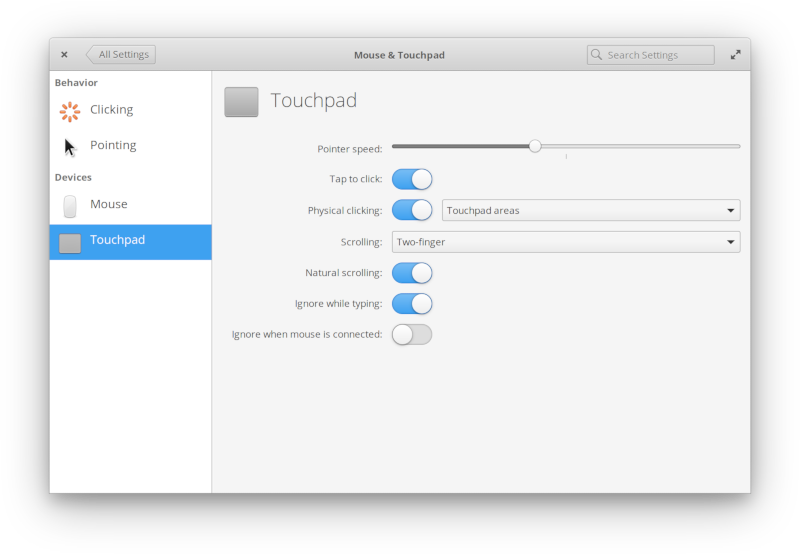
Improved Mouse & Touchpad settings
Mouse & Touchpad settings have been redesigned and improved for
Hera. They’re now organized into sections for different behavior- and
hardware-specific settings, plus several accessibility settings like
long-press secondary click, reveal pointer, double-click speed, and
control pointer using keypad have been exposed. We’ve also added the
highly-requested “Ignore when mouse is connected” toggle to the touchpad
settings, and fixed the middle-click setting not appearing in certain
situations.
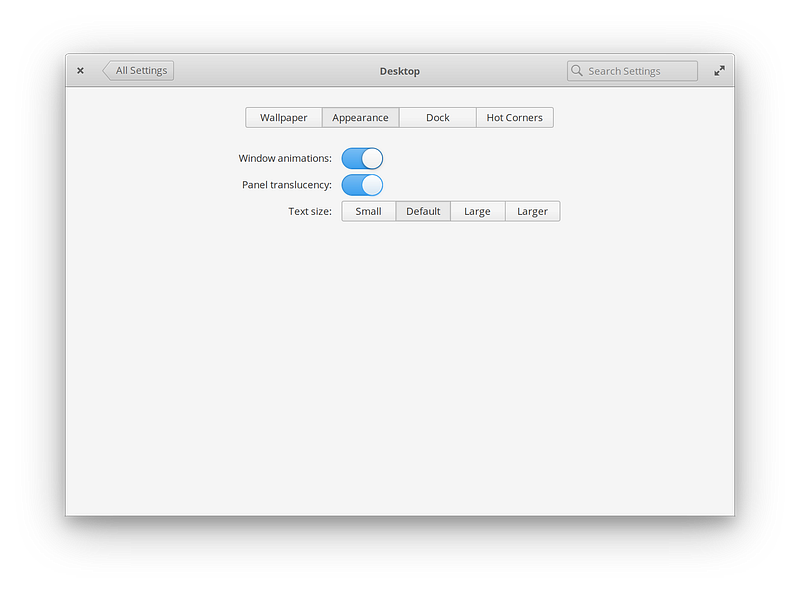
New Desktop Appearance settings
We’ve added a new Appearance tab to the Desktop settings, exposing
some existing accessibility settings and making them more discoverable.
This includes a new wider range of supported text sizes, from small
(0.75×) to larger (1.5×). This should help those who need larger or
smaller text, including alleviating some issues with certain hardware
combinations where 1× or 2× display scaling is not the best fit.
Over in the Wallpaper page, we’ve fixed reported issues with setting wallpapers on the Login and Lock screen.
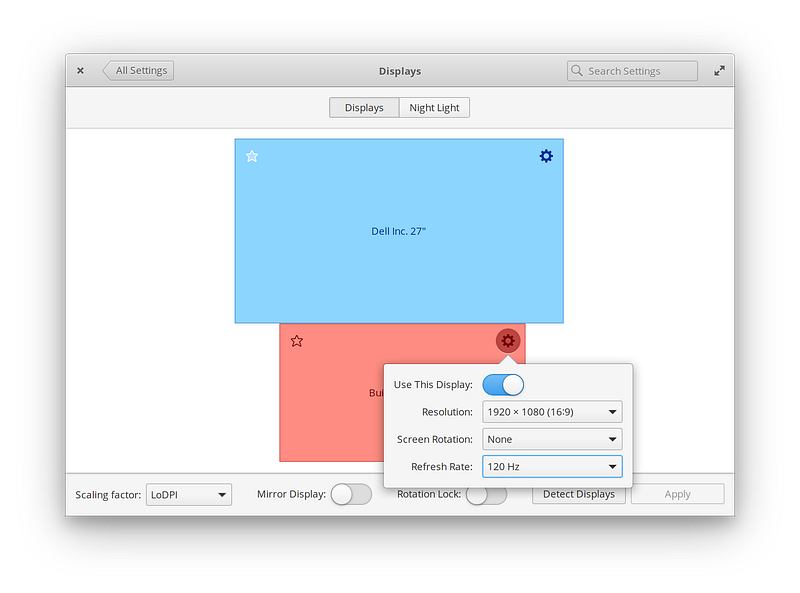
Improved Displays settings
The Displays settings have been improved, bringing a more reliable
scaling factor setting, new refresh rate options, and an improved design
using palette colors. Display moving, snapping, and aligning has also
been reworked, making it much easier and less error-prone to align
displays to match their physical orientation.
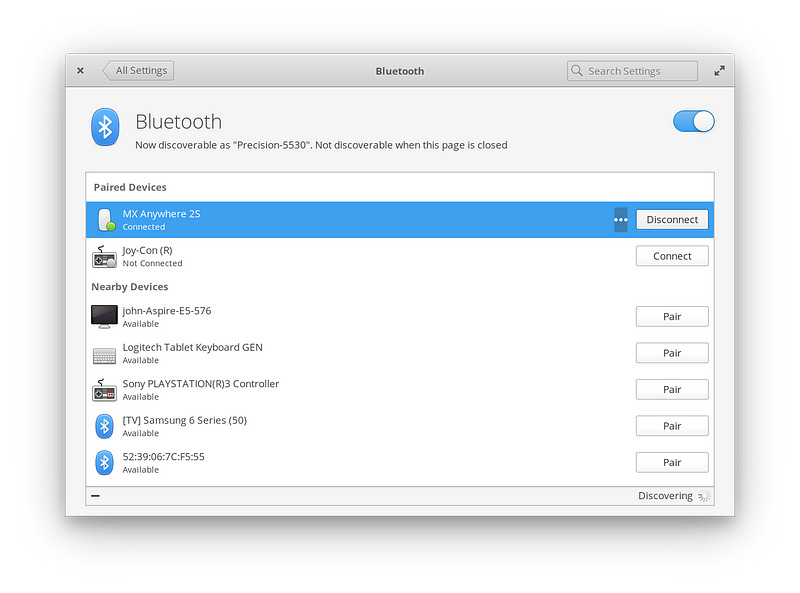
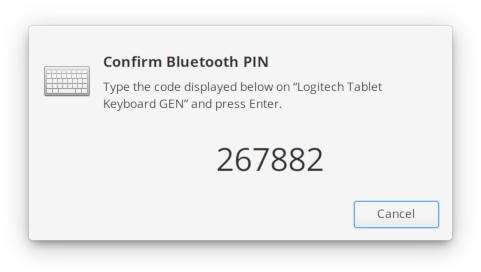
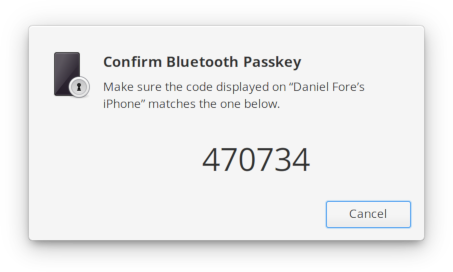
Improved Bluetooth settings with a pairing agent for PINs and passkeys
Bluetooth settings have been improved with more reliable pairing and
trusting of devices, plus a new pairing agent to better handle devices
that need a PIN or passkey to pair. This dialog shows up when pairing a
device like a keyboard, and increases the compatibility of elementary OS
for more wireless devices.
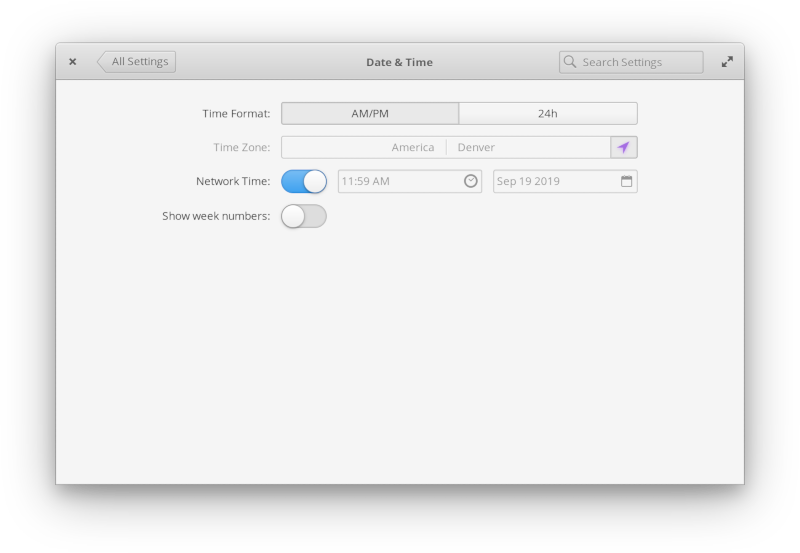
Refined Date & Time settings
For Date & Time settings in Hera, we’ve cleaned up the design and added an automatic timezone setting.
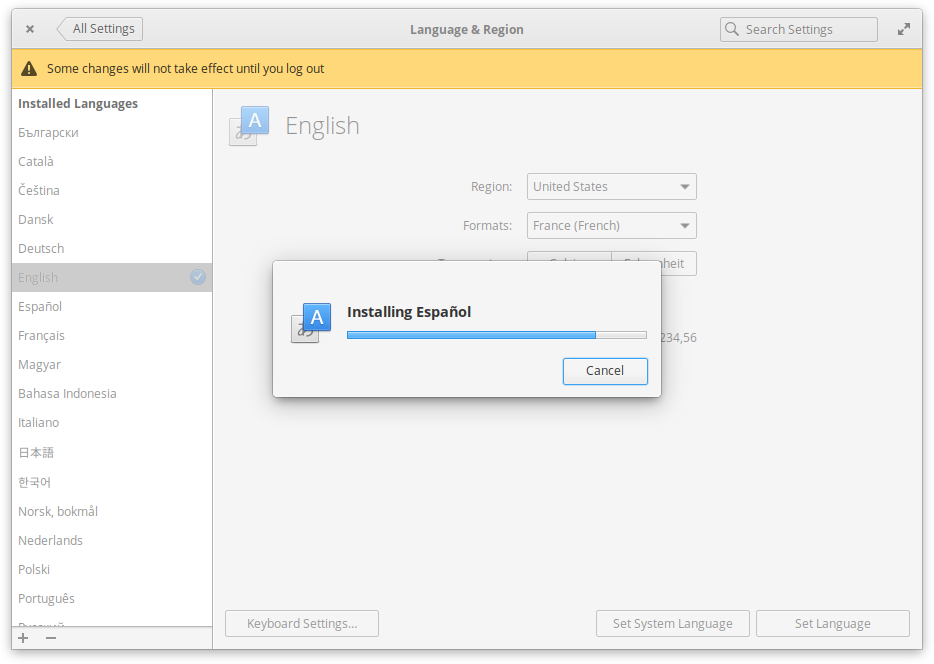
Improved Language & Region settings
We’ve improved Language & Region settings in Hera. Installing new
languages has been moved to a dialog to make it cleaner and more
straightforward, the sidebar updates the status of languages more
accurately, and the settings now only prompt you to authenticate when
you actually need to—leading to a cleaner design and avoiding stacked
infobars.
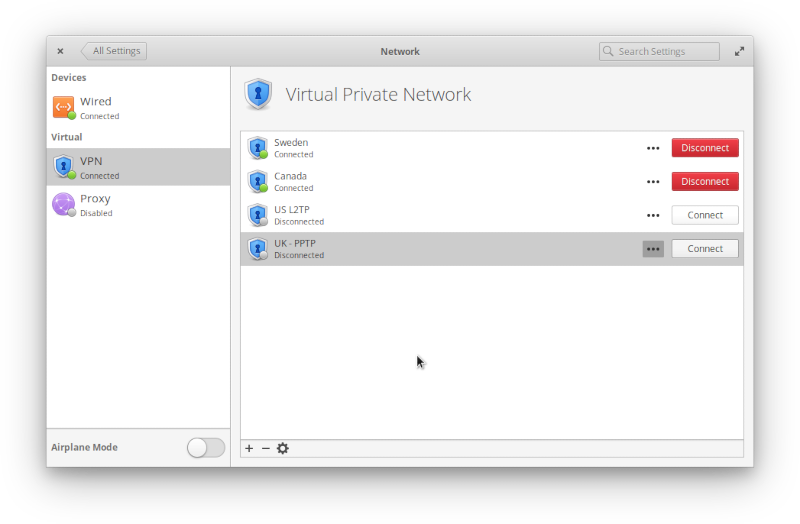
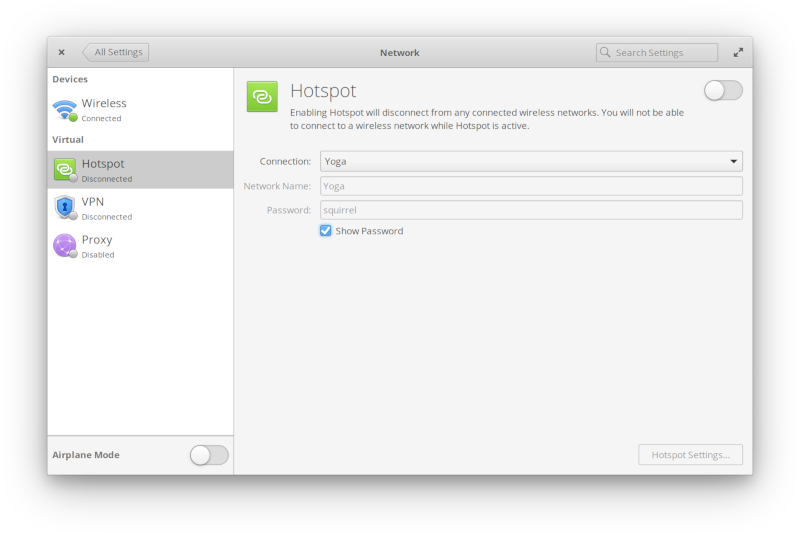
Redesigned VPN and Hotspot settings
Hera’s Network settings have also been redesigned in a few places:
the Hotspot settings are now in-page instead of in a separate dialog,
and the new VPN page is much easier to use.
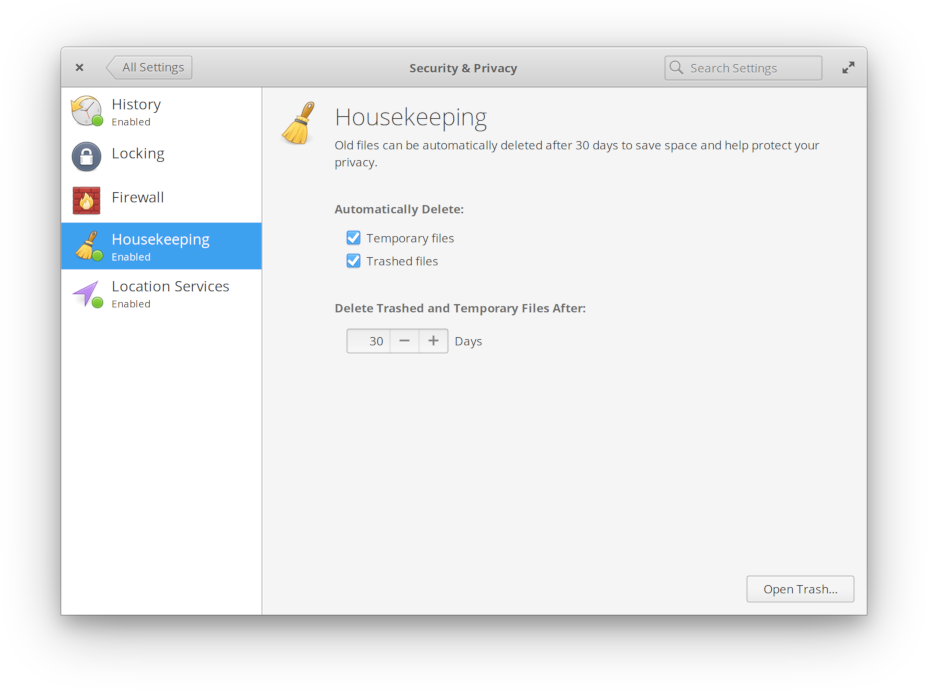
Reworked Housekeeping settings
We reworked the design of the Housekeeping settings in the Security
& Privacy settings to better match the design of the new Onboarding
app.
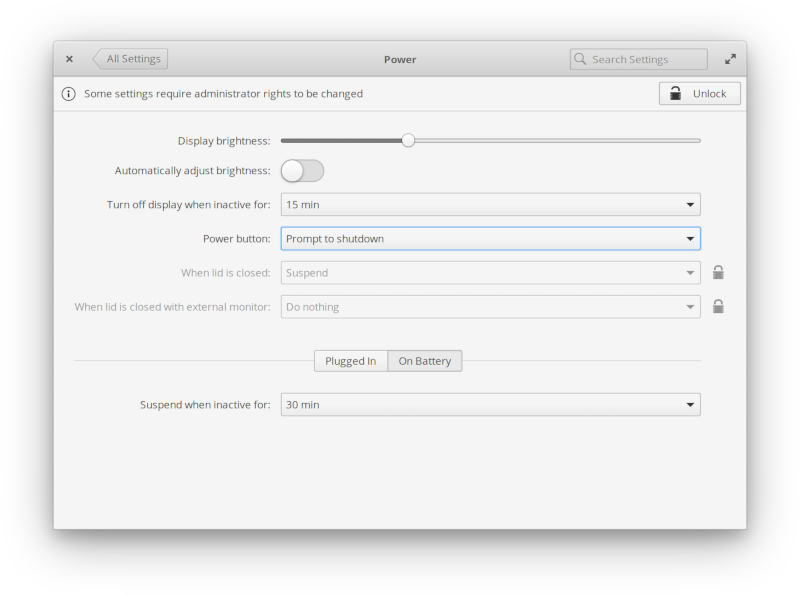
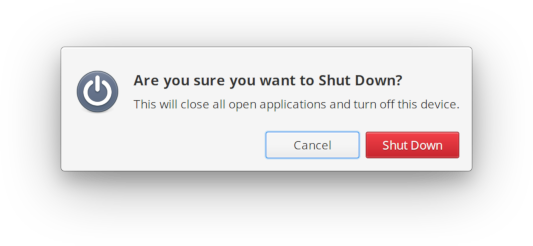
Left: Prompt to shutdown setting | Right: Shut Down dialog
In Power settings, we’ve added a new “Prompt to shutdown” option for
the power button alongside the existing “Do nothing” and “Suspend”
options. When chosen, pressing a physical power button on your device
will show the standard Shut Down dialog which can be handy as a
safeguard against accidental shut downs.
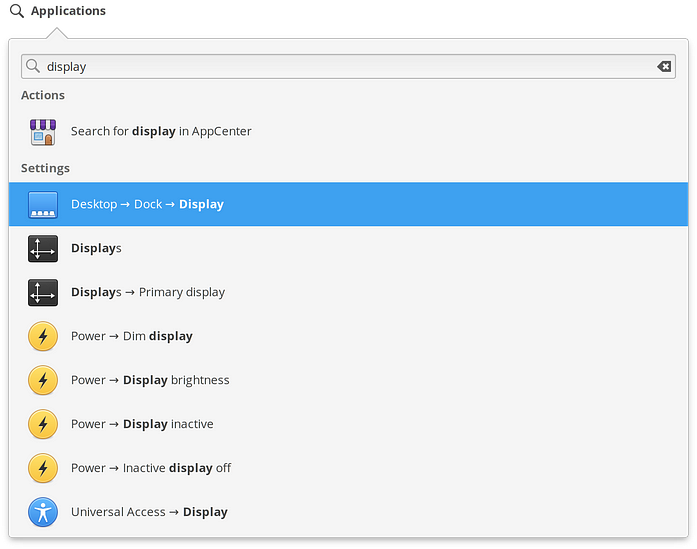
Improved Applications Menu search
Lastly, we’ve made both System Settings and system actions like
restarting much more discoverable in Hera with greatly improved deep
searching from the Applications Menu. You can now search for something
like “display” and get a list of all the individual features in each
pane where the word “display” is used. We’ve also updated those keywords
across all actions and settings panes, making them even easier to
find—including common alternatives like “reboot” for Restart.
App Updates
As with any major elementary OS update, we’ve been hard at work on several of the core apps for Hera.
Calendar
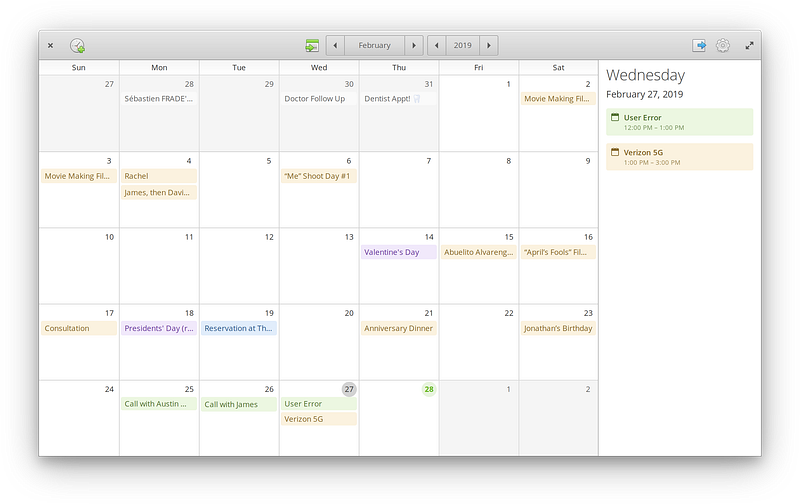
Refreshed Calendar design
We’ve put a lot of work into Calendar for Hera with a refreshed
design that is brighter, cleaner, and more usable. Keyboard navigation,
color palette usage, and the event dialog have also all been improved.
See the February updates story for more information.
Camera
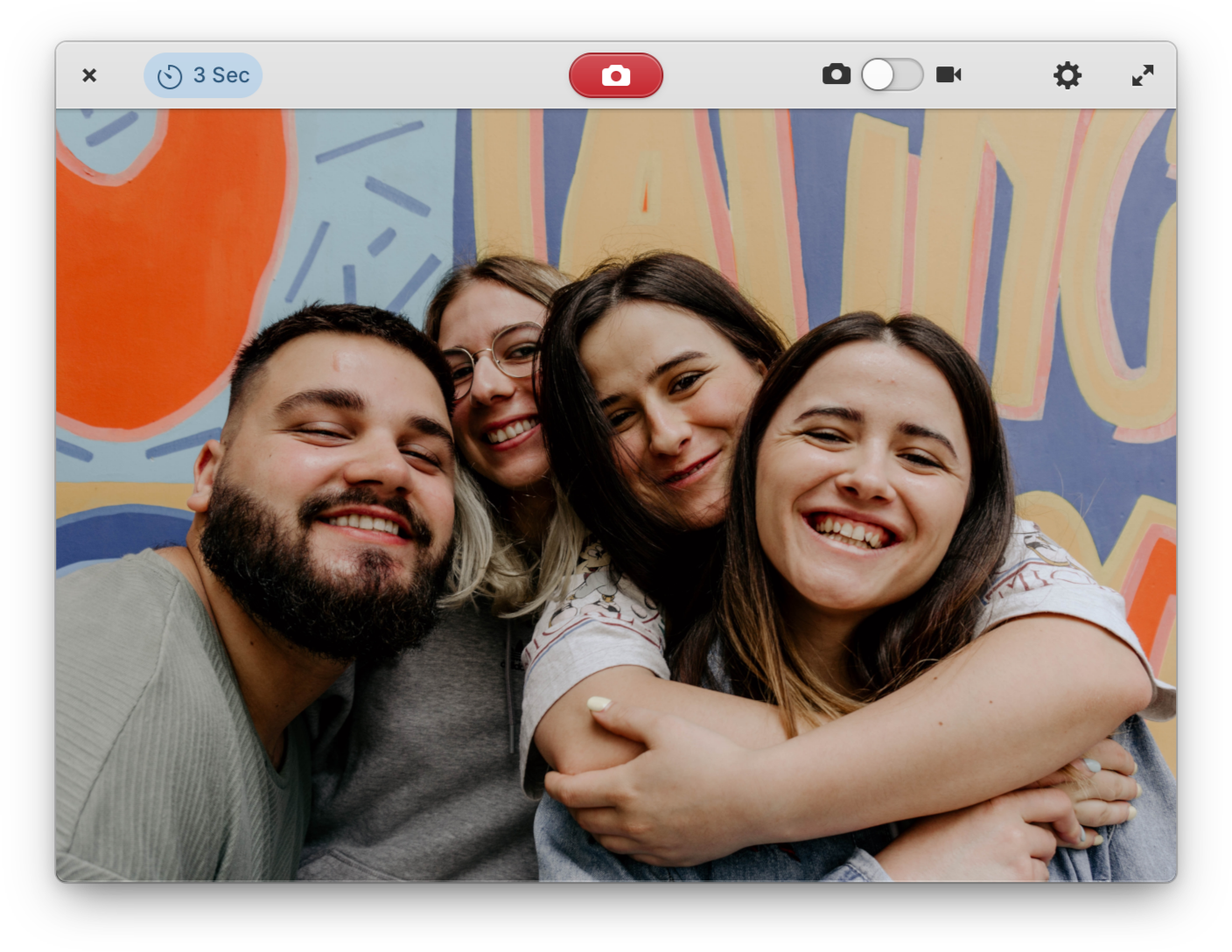
We’ve updated the Camera app in Hera for greatly improved hardware
compatibility and performance with cameras on several popular laptops,
including many Dell models.
Photos
In Photos we now show a checkerboard background behind translucent
image thumbnails. We’ve also worked to improve the UI of dialogs
throughout the app.
Music
We’ve spent a lot of time improving Music for Hera, with large improvements to sorting in the album, list, and column views.
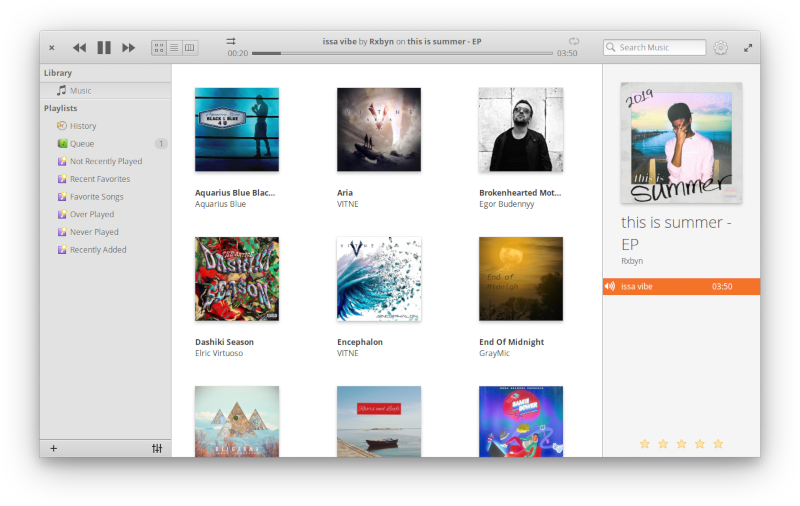
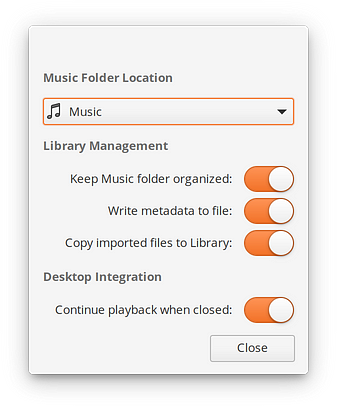
New accent color in Music
We also made keyboard shortcuts more discoverable, plus added a new
bold orange accent color throughout, carrying its identity from the icon
into the app itself. We fixed several reported issues with queuing and
playlists. Music can now also play s3m files and double clicking an
album cover in the grid view will start playing that album. Lastly,
album art in the grid view is now displayed more crisply on HiDPI
displays.
Videos
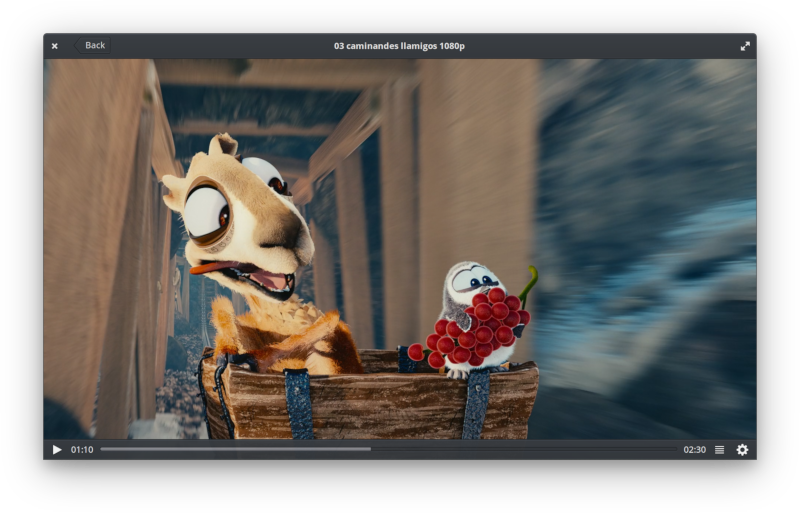
The Videos app in Hera now supports automatically queuing up episodes
when watching shows. It has also been updated to show audio track
titles, i.e. with the language name. Keyboard navigation has been
improved, and it’s now easier to clear playlist queue with a dedicated
button.
Files
Files in Hera received a major new feature: CloudProviders support.
This means file syncing and cloud storage providers like NextCloud can
use this standardized API and hook directly into the Files app, without
having to do anything special for elementary OS. This API is also
planned to be implemented in GNOME Files, and we hope to see it adopted
more widely across FreeDesktops. We’ve also spent a ton of time
improving Files in Hera.
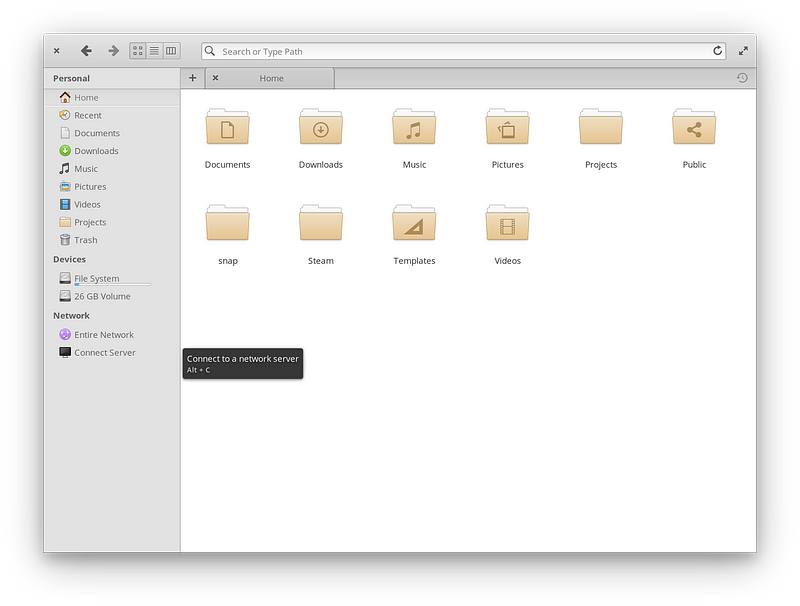

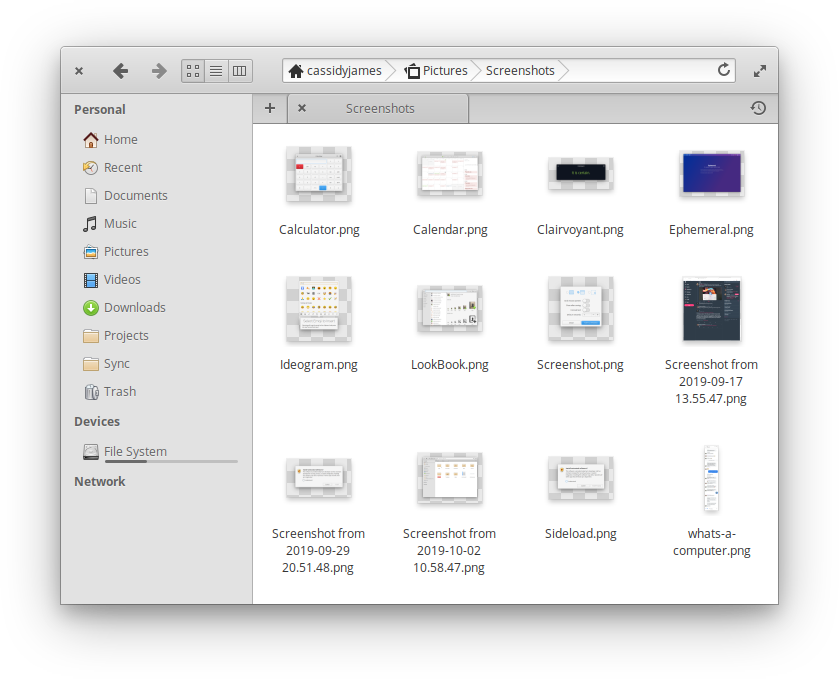
Keyboard shortcut discoverability, color tagging, and checkerboard thumbnail backgrounds in Files
We’ve made search more discoverable by showing the search icon and
placeholder text in the Home folder, similar to a web browser’s empty
state. The search results dropdown is also larger and shows more
results, and there’s a new feature to hide thumbnails. “Cherry picking”
files has been greatly improved, and we’ve refined the design of the
color tags to be easier targets—plus we show all color tags used in a
selection in the context menu. We also now draw a checkerboard
background behind transparent image thumbnails, making them easier to
see.
We’ve also improved keyboard shortcut discoverability throughout,
improved the Open In and Open With menus with app icons, and made Files
respect the Event Alerts setting from System Settings → Sound
for the trash sound. Lastly, we’ve implemented several performance and
stability improvements including fixing reported issues around file
sorting, pasting, selecting files, color tags, file renaming, and more.
Code
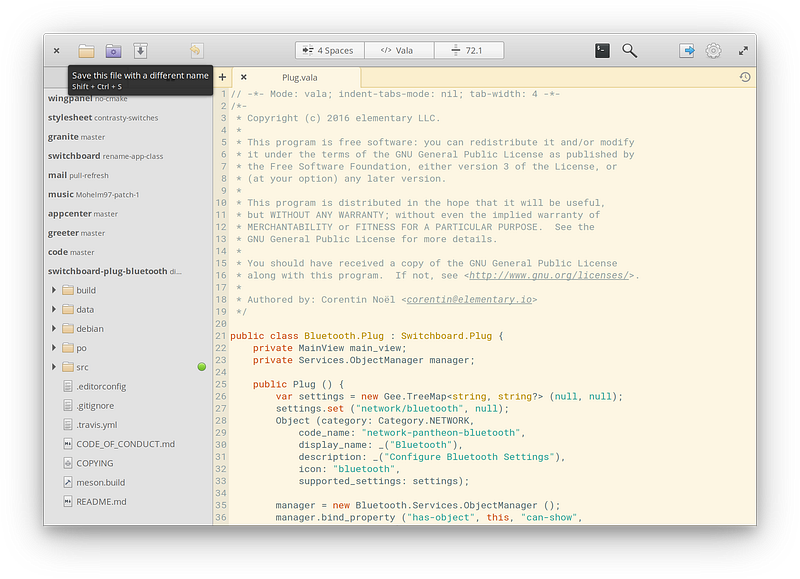
Improved keyboard shortcut discoverability in Code
Code has been updated for Hera with more discoverable keyboard
shortcuts, the restoration of the line wrap setting, new “Change Branch”
functionality for git projects, and the display of hidden and non-text
files in the sidebar to make git management more accurately reflect the
state of the repository. We’ve also implemented several fixes and
performance improvements, especially around saving and restoring files.
Terminal
Lastly, we’ve updated Terminal with a few small but welcome improvements.
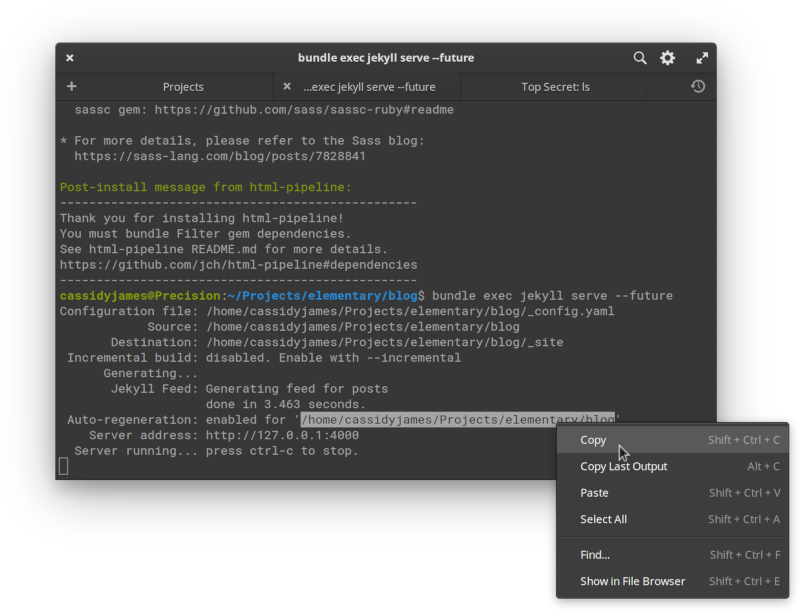
The Menu key
found on some keyboards now opens the context menu, middle-click paste
is more reliably in sync with the system-wide setting, we’ve improved
contrast with the dark style, we improved the context menu with keyboard
shortcuts and better delineation between text actions and app actions,
and we save more of the window state between sessions.
And More…
Several other core apps have seen smaller improvements for Hera. For
example, Calculator has better decimal localization, and Screenshot
closes with the
key. Plus, every app has improved translations across nearly every language.
Desktop
We’ve been steadily improving the core desktop experience in elementary OS Hera.
Picture-in-Picture now displays at the bottom-right of the display by
default, better matching where users expected it. We’ve made several
usability and performance improvements to taking screenshots. And we’ve
addressed a couple of visual glitches that sometimes occurred when
tiling windows and on HiDPI displays after switching the scaling factor.
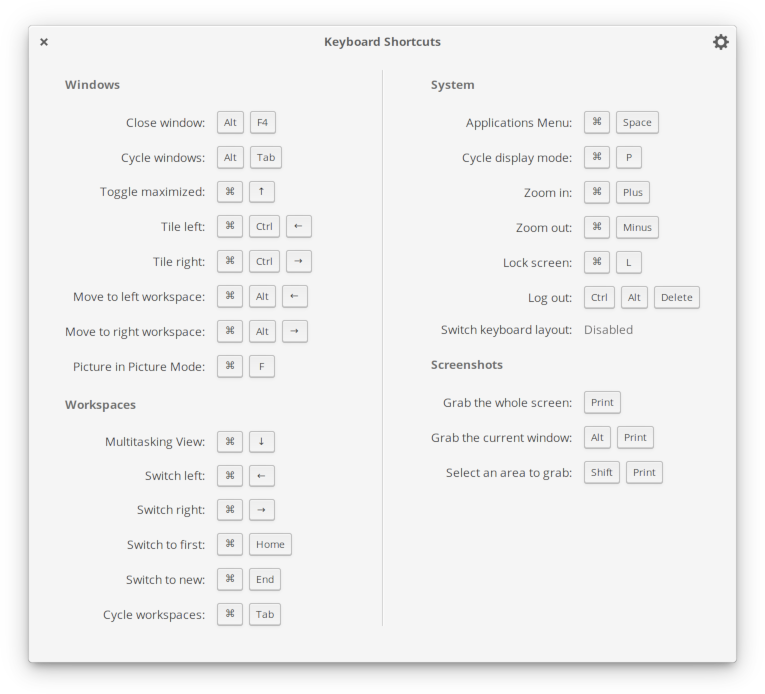
The Shortcut Overlay introduced in Juno has been expanded to include more shortcuts, including Close Window (
by default) and Switch Keyboard Layout.
Indicators
We’ve also brought several improvements to the top Panel and Indicators to Hera.
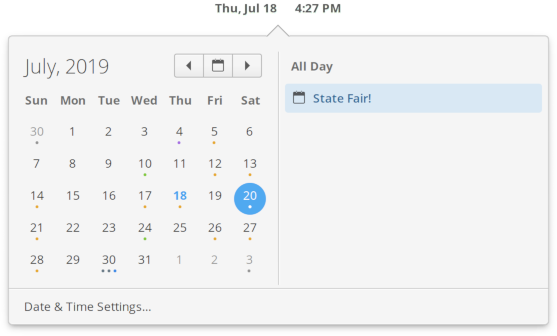
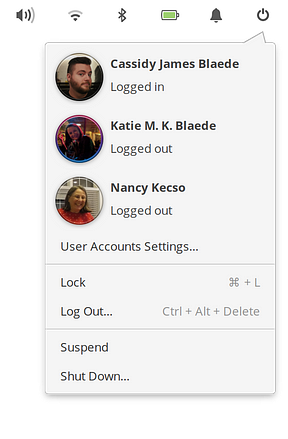
Left: New Date & Time indicator design | Right: Session indicator with keyboard shortcuts
The Date & Time indicator has been redesigned with more clear
navigation, dots on days with events, a more clear indication of the
selected day, and a new side pane with the selected day’s events.
Following our OS-wide efforts to progressively disclose keyboard
shortcuts, the Session indicator now shows keyboard shortcuts for lock
and log out.
We also improved several aspects of the Sound indicator including
smooth scrolling, touchpad scrolling, and scroll directions, plus new
features for microphone users like scrolling or middle-clicking the mic
icon on the panel to adjust or mute input.
And a lot of little things: the Applications Menu now shows all
configured keyboard shortcuts in its tooltip and is a bit faster, we
added a new “View in AppCenter” item to apps’ context menus in the
Applications Menu, we’ve improved the design of the Bluetooth indicator
to be more consistent with other indicators and added connection status
badge to each device, we fixed some minor visual inconsistencies in the
Notifications indicator, and all indicators have been better translated
into more languages.
Visual Style
We’ve improved the system stylesheet in several ways for Hera. To
make certain situations like photo and video editing apps easier for
color-correction, dark-styled apps in elementary OS now sport a dark
color-neutral shade of gray instead of the previous cool-tinted gray.

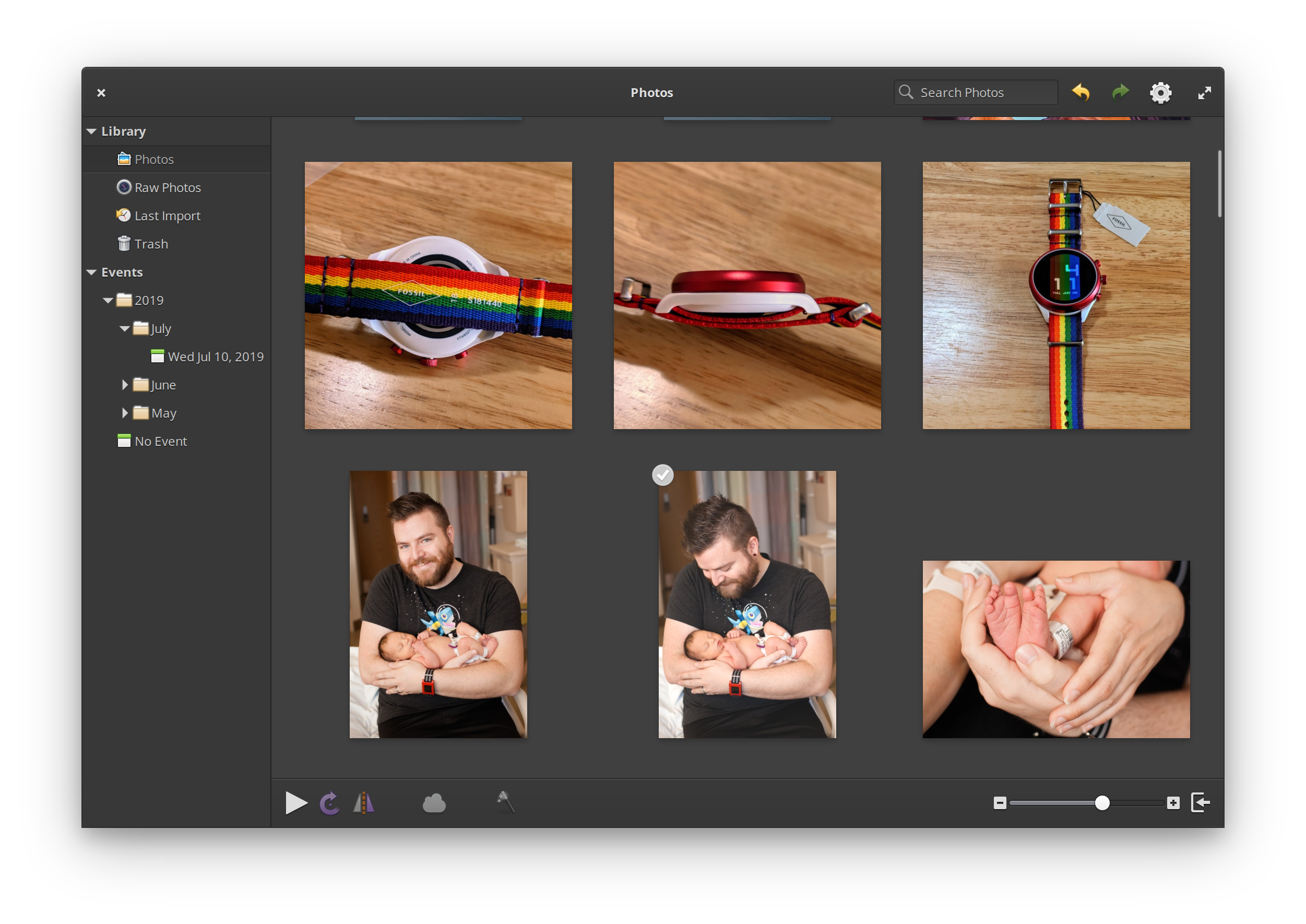
Left: Previous cool-tinted dark style | Right: New color-neutral dark style
We’ve added a subtle fade-out effect to the start and end of lists in
popovers, like the list of Wi-Fi networks in the Networking indicator,
or users in the Session indicator.
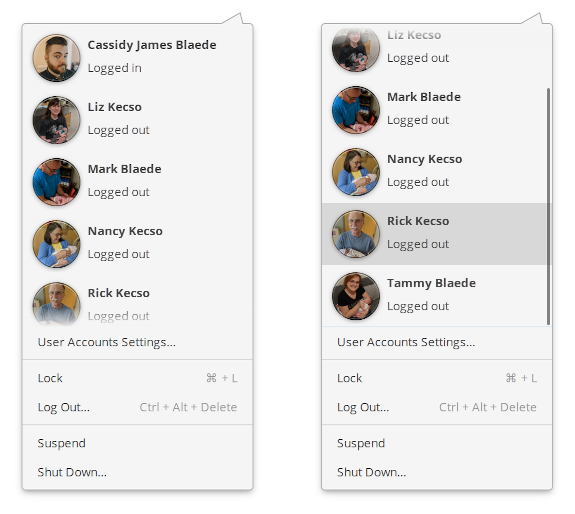
Soft fade in popover lists
We’re styling Keycaps in menus now with a flatter style, which will come into play as we add keycaps in menus in future updates.


Keycaps in both light and dark menus
Progress and loading states on entries (like the address bar of browsers when a page is loading) have been made more subtle.
More subtle badges in sidebars
Contrast is further improved—especially for apps that utilize a dark
style—and we’ve refreshed the appearance of numbered badges in Sidebars
to be a bit more subtle. We’ve also improved accent color shading in
switches, fixed some right-to-left issues, fixed some insensitive
buttons states, fixed other small issues (see the June updates story for more), and added support for raised buttons in app header bars.


Left: New wired icon in the Panel | Right: New wired icon in Networking settings
The system icons have also been refreshed throughout Hera. One
noticable change is the wired network icon, which has been changed from
an Ethernet-like symbol to a simpler symbol that has become convention
across other platforms like Android, macOS, and Chrome OS. Read more
about this change in the July updates post.
We’ve also added icons for playlists, chat, caps lock, num lock, mail
actions, SSDs, and headsets. We’ve refined and added several new sizes
for icons for pixel-perfect hinting in more contexts—including the
Onboarding experience. We also added symbolic versions of several icons
including location services, laptops, and firmware. We’ve animated the
microphone mute icon in the Panel, the mobile phone icons have been
updated to better match modern phones, path and group icons (for
drawing/design apps) have been redesigned, we’ve added a few mirrored
icons for right-to-left languages, and we’ve made several icon families a
bit more consistent.




Top: Updated default wallpaper | Bottom: Three new wallpapers
Lastly, we’ve updated the wallpapers. Three new photos join the set:
snowy granite mountain ridges, a black and white pair of birds flying
over a hill, and an interesting top-down view of brilliant blue water
breaking on a beach. The default wallpaper has also been updated; this
photo of a sunset over a pier was included in Juno, but we’ve set it as
the new default to give Hera its own unique identity. At the same time,
the color scheme is similar to Juno with its purples, oranges and
blues—evoking the more iterative relationship between the two releases.
Under the Hood
An issue causing delayed shut downs in Juno was found and fixed for
Hera. Apps installed as Snaps now properly show in Startup Apps
settings. Flatpak is now included out of the box.
Along with all of the functional updates, translations, and issue
fixes comes the latest hardware enablement provided by Linux 5.0 and the
long-term support (LTS) hardware enablement (HWE) stack from Canonical.
This includes improved support for more recent processors, GPUs, input
devices, and more. We’d like to give special thanks to the Ubuntu kernel
and foundations teams for the work making this possible!
All Comments